Showami walkthrough
On the night of 3 September Mike made a Showami account as a showing agent and recorded twenty minutes of himself using it. This is what he said he liked, what he said he wouldn't copy, and where each of those lands against what Tour Dash has already built. It is the product companion to the pricing teardown from 1 September. Four of the backlog items below have since been built: see Four from the walkthrough.
What Mike walked through
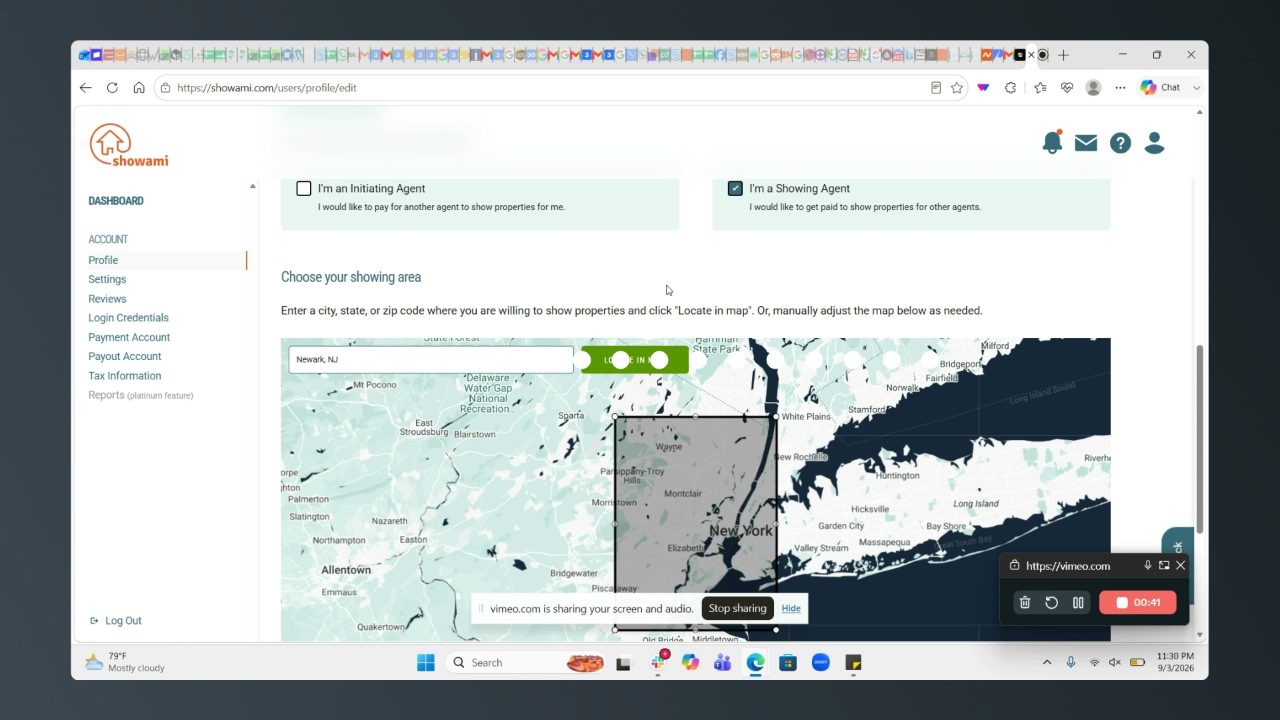
He started at the profile screen after sign-up and picked the showing-agent role, then set a coverage area around Cranford, added a payout account, confirmed his email, and went through Stripe identity verification. Showami then pushed him into a partner opt-in for a safety app called Tether, which he sat through. From the dashboard he clicked into the referral program, the training course, the showing-agent coverage map, the public pricing page and calculator, the counter-proposal section, the brokerage product, the Platinum product, and the listing-agent, property-manager and landlord pages. He never found a showing to accept because there were none near him. He logged out at 20:50.
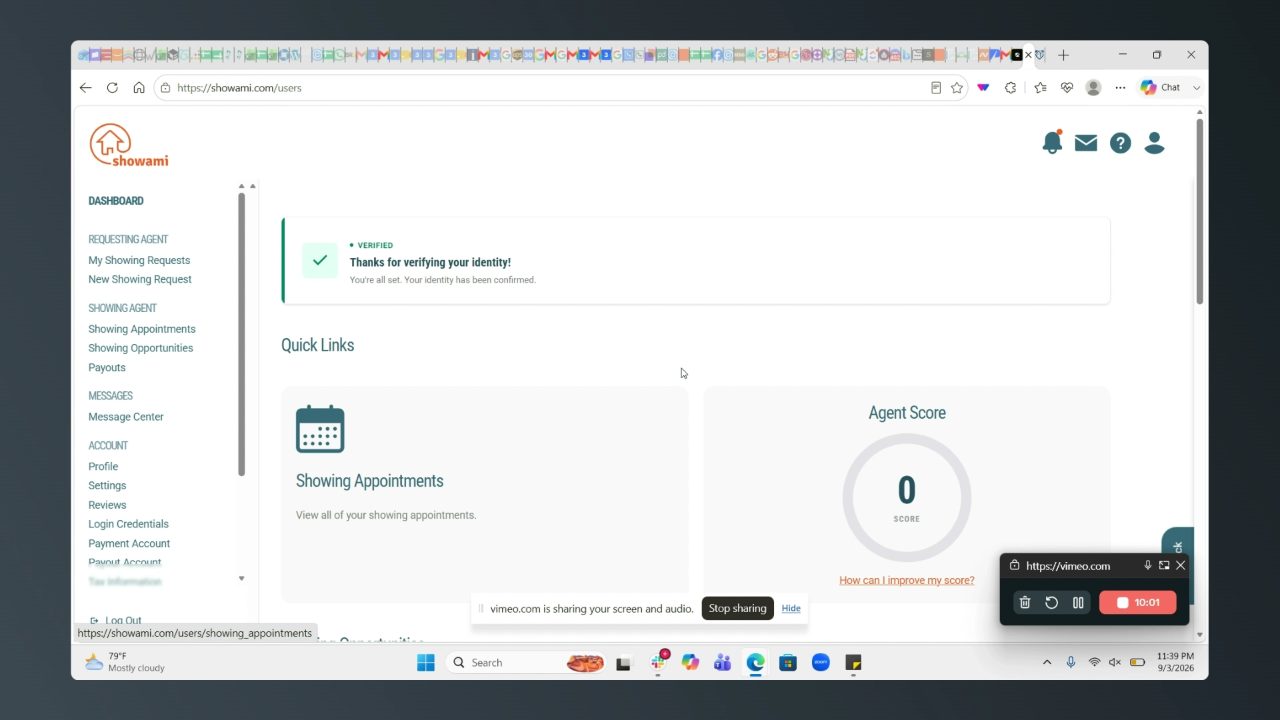
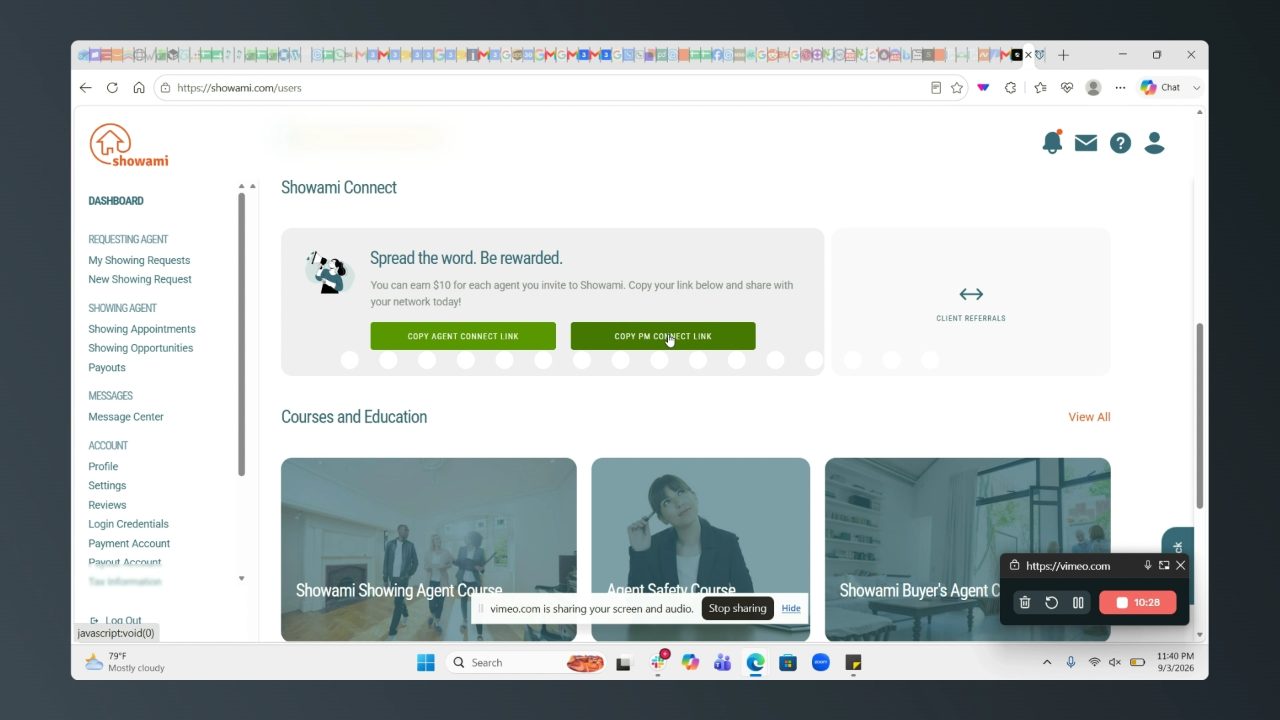
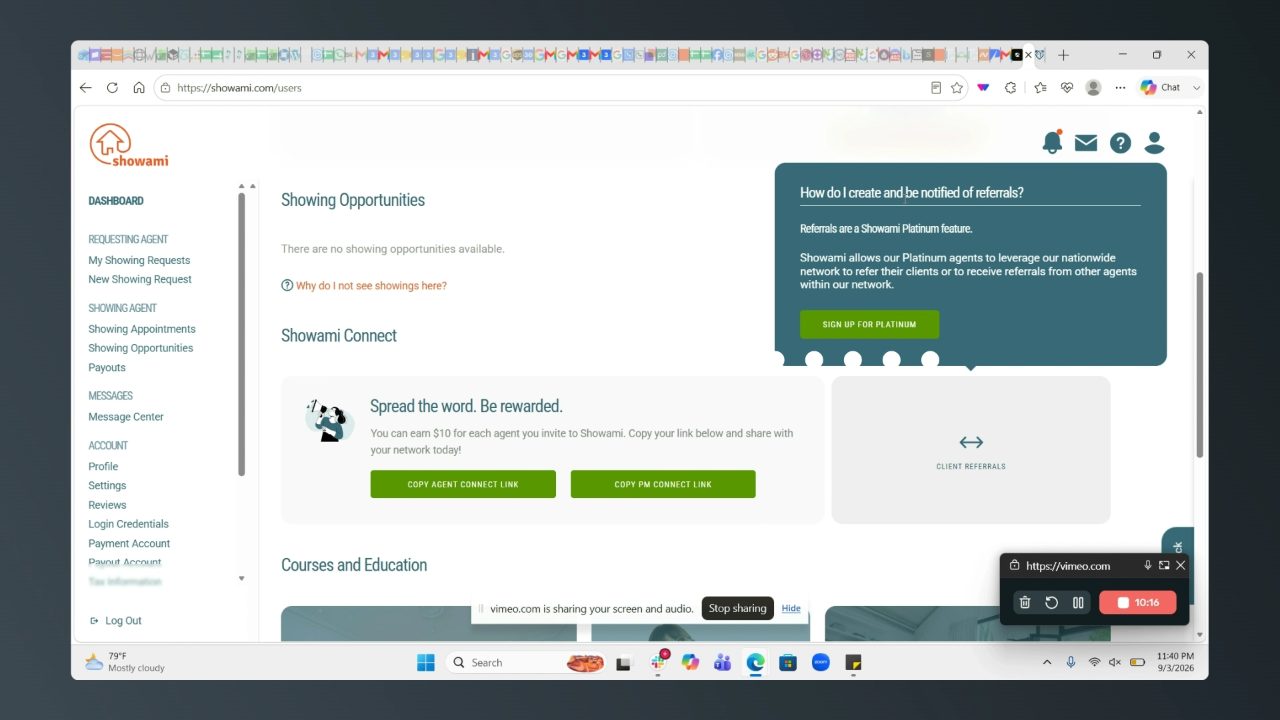
The full transcript, with times, is saved alongside the frames at showami-walkthrough.transcript.txt. Times in the tables below point at that file. The frames carry a row of dots across the middle; that is the voice meter Vimeo's recorder burned into the video, not part of Showami.
What he liked, in his words
Everything in this table is something Mike either said we should do or reacted well to. Quotes are his, lightly cleaned of filler.
| Time | What he saw | What he said |
|---|---|---|
| 0:19 | License number field on the profile | We got to make sure that we connect to a database that verifies this number. |
| 0:29 | Two-role picker: get paid to show, or pay another agent to show | Read both options out and picked showing agent. Later (18:44) he said the extra roles Showami stacks on top are too muchand that the direction that we have is a little bit better. |
| 2:39 | Payout form rejects a made-up routing number | It does recognize that it's invalid.Then, on the Stripe identity flow at 5:52: So far, simple process. Not bad, pretty good. |
| 3:49 | How the requesting agent should pay | Give the agent the opportunity to pay it through ACH. Credit card, no, we don't want that because then we can get hit with chargebacks. But ACH, Venmo, Zelle. |
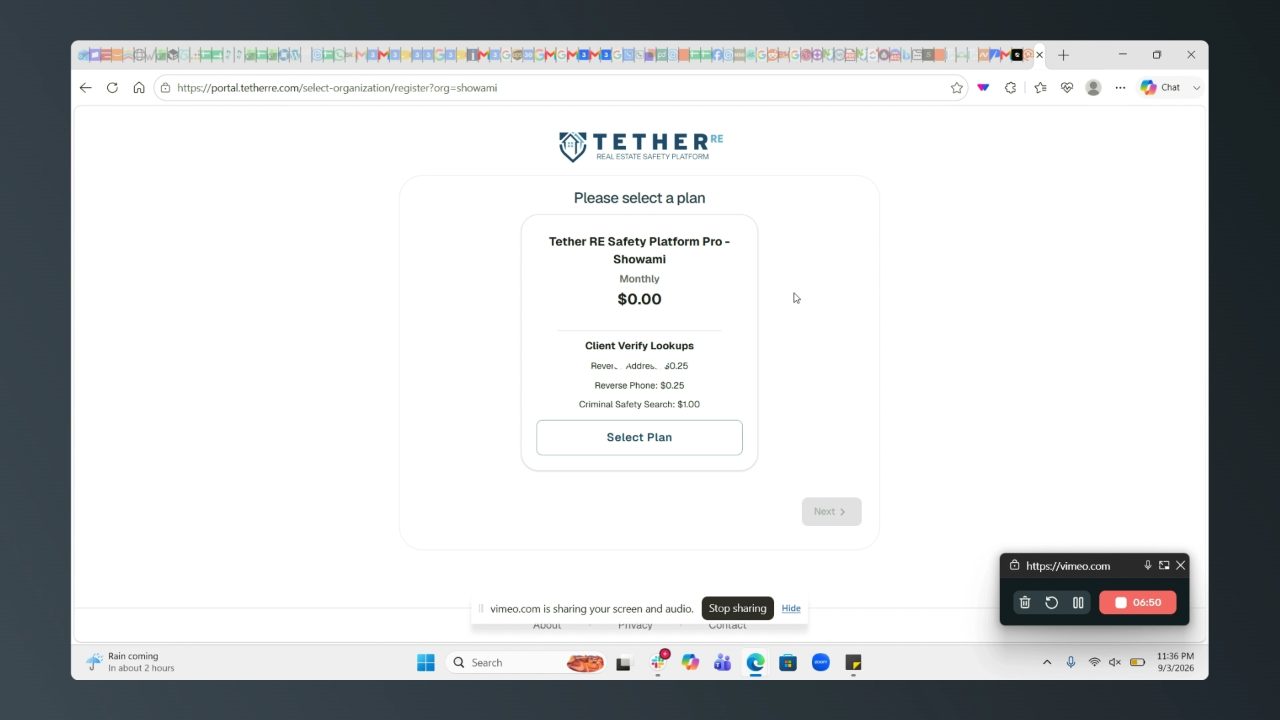
| 6:31 | Tether, a safety-app partner Showami opts agents into | Safety is often overlooked. Something to think about.At 7:49: We could partner up with a company that does the same thing. It's called Forewarn. |
| 8:49 | Confirmation texts and emails | The text messages and emails are seamless. I got them within a second. |
| 9:11 | Invite other agents | That's another thing we need to do in our platform, invite real estate agents. And maybe get a bonus of an extra $5 or $10, or waive a portion of that 20%. |
| 9:59 | Showami's light theme | I don't know, man. I'm kind of liking the light. |
| 10:02 | Dashboard: showing appointments and an agent score | Read the layout out loud as the spine of the page. |
| 10:07 | Showami Connect: $10 per agent you bring in, plus client referrals | Spread the word, be rewarded. This is pretty big.On the embedded share widget at 10:41: We need to do the same. |
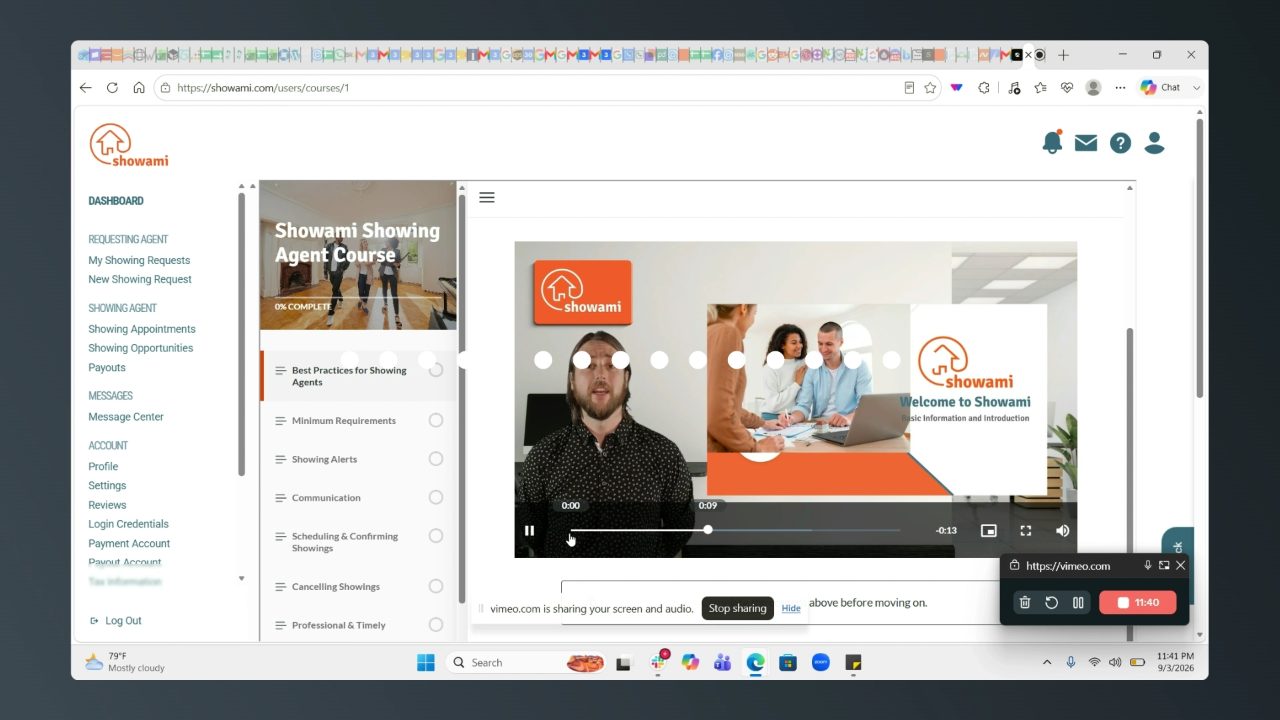
| 11:13 | Showing-agent course, a Thinkific embed | Ooh, all right, let's see this.The course opens with the minimum you need to accept assignments, show homes and get paid. |
| 12:39 | Course says you need your own MLS access and a lockbox key | We would need this too. When they're posting a job or a showing, we need to understand exactly what MLS that showing is going to be part of. |
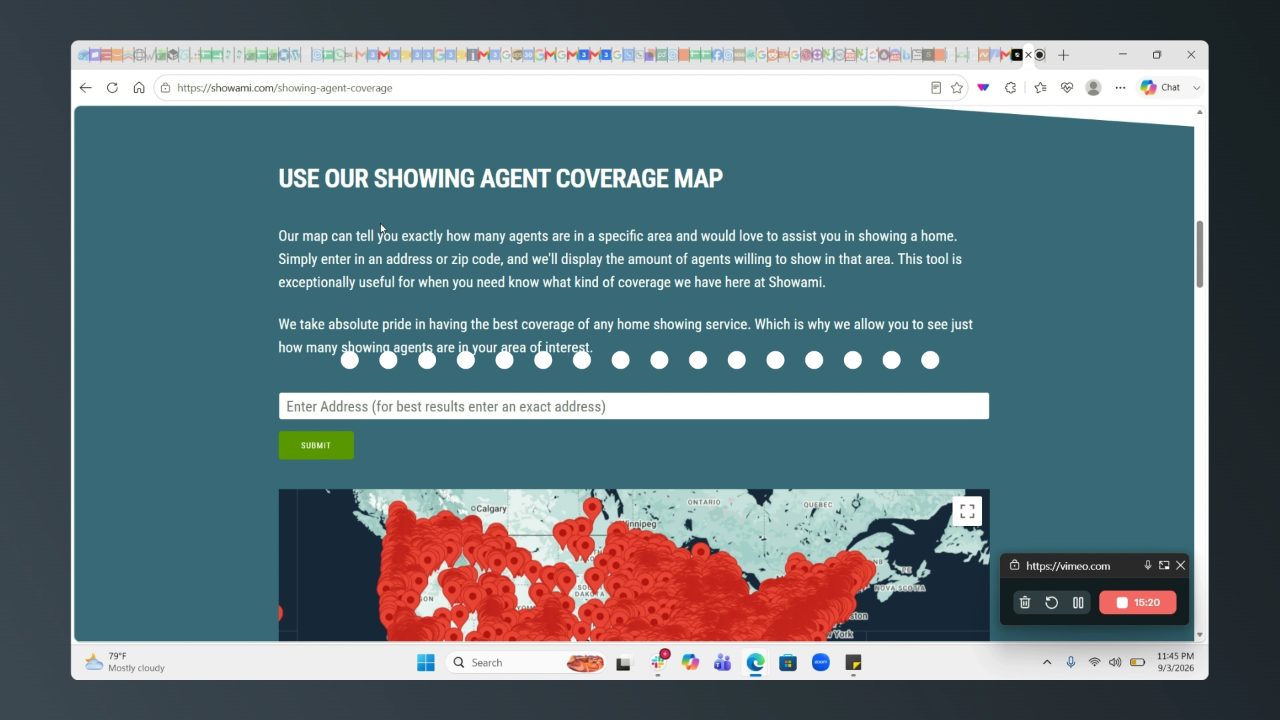
| 15:27 | Showing-agent coverage map | They're pretty all over the place, wow. We have 837 agents in New Jersey. We could easily get way more than that, because we're offering such an array of products. |
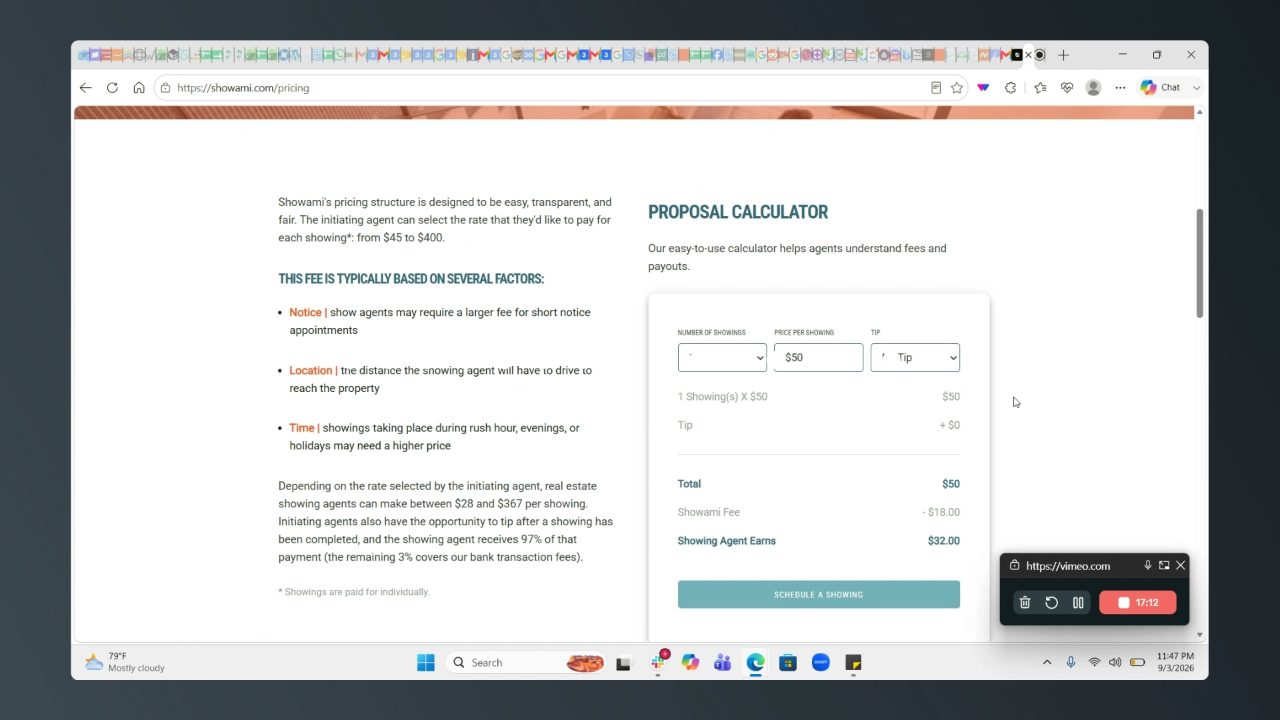
| 16:21 | Name-your-price on the pricing page | I almost feel like we should control this to a certain extent. If you're posting five showings, you shouldn't be paying out $45. If you only have one showing, maybe you pay a little bit more, 50 bucks. |
| 17:04 | Calculator shows an $18 Showami fee on a $50 showing | $18 is wild. 20%, we would take 10. |
| 17:23 | Showing agents can submit counter-proposals | This is pretty good, I like this. Submit a counter proposal. |
| 17:38 | Brokerage product, white-labelled | Yeah, I know this broker solution. They can white label it for you. |
| 20:25 | Closing thought | We're going to supersede them very quickly because we're not just catering to the real estate agent or a landlord or a property manager. We're also connecting them to appraisals, inspectors, electricians, tradespeople. |
wow.
What he wouldn't copy
- Location entry. At 0:51:
The geo-mapping or geolocation sucks.
Typing a city gave him a box he had to drag around by hand. Our ZIP-and-radius filter and the Mapbox flight on the landing page are the better version of this, so leave them alone. - Finding work. From 13:47 to 14:50 he clicked around looking for a way to browse jobs and landed on
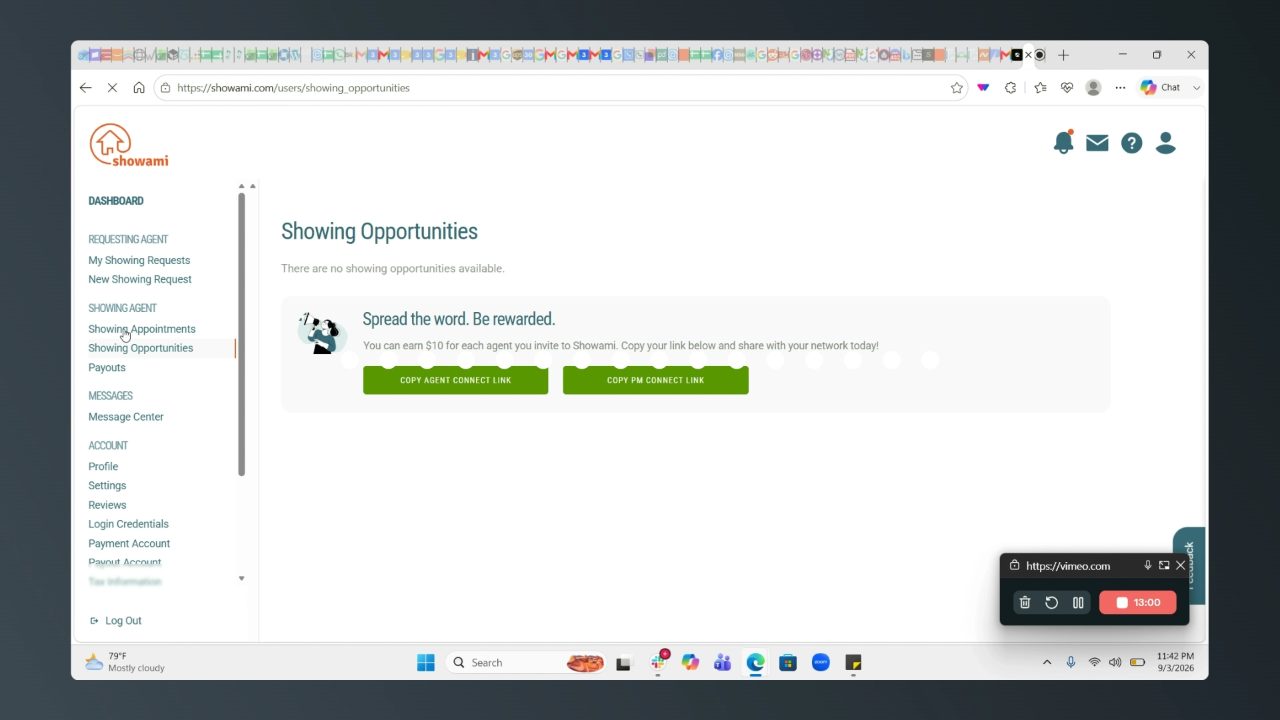
There are no showing opportunities available
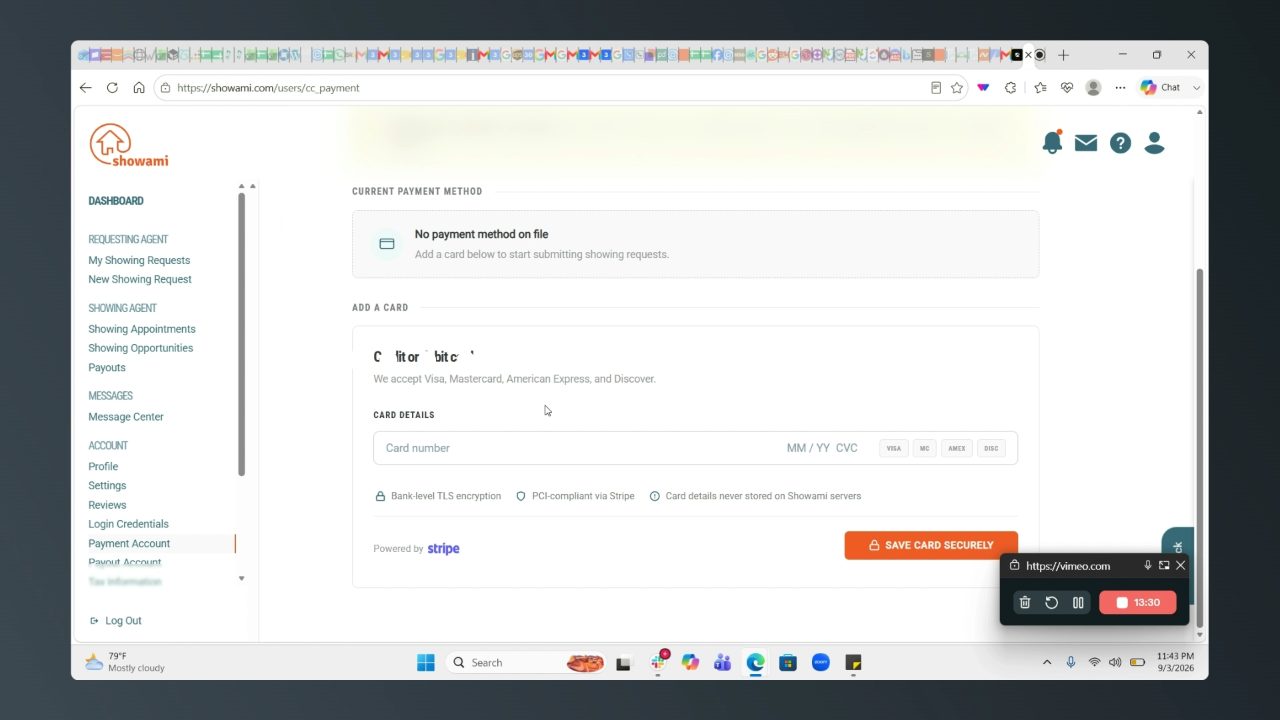
with nothing else on the page. Worth checking what our Find Opportunities page shows an agent whose radius is empty. - A card to post a request. At 13:26 the new-showing form asked for a credit card before anything else. He wouldn't enter one. This is the same point as his ACH note above, seen from the other side.
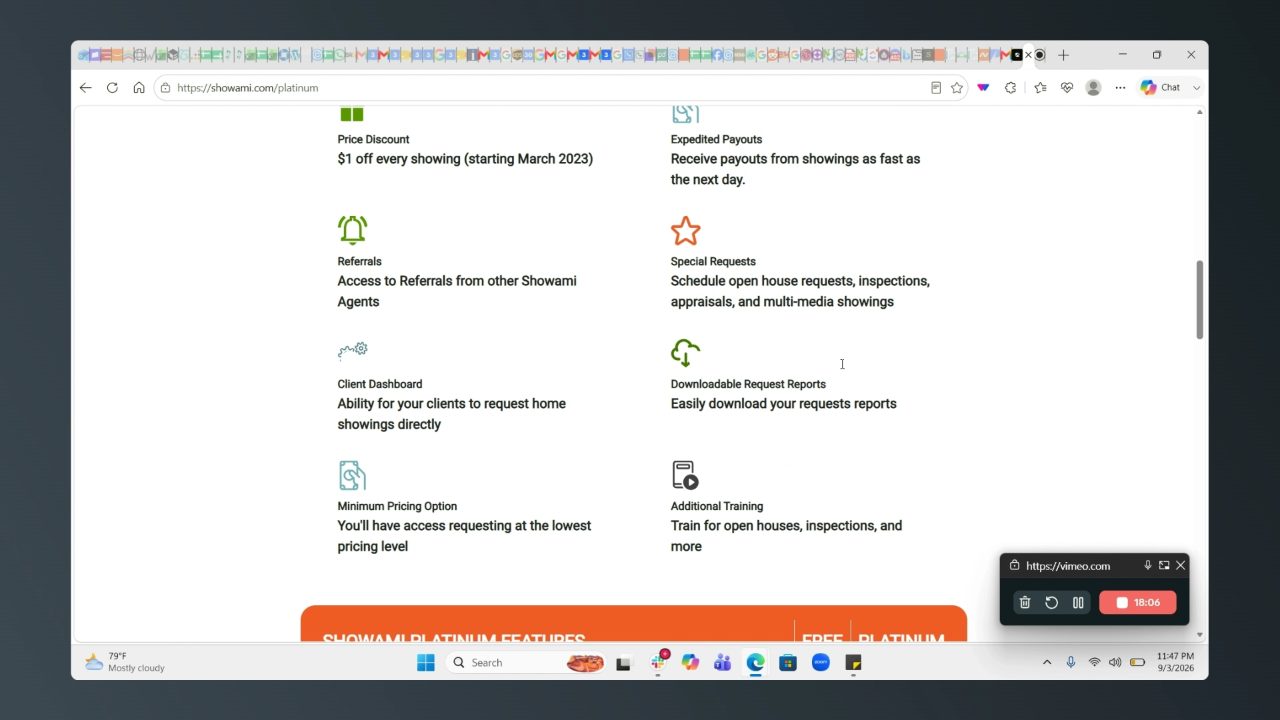
- Platinum. At 18:04, on the $75-a-year tier:
$1 off every showing. Nothing beneficial.
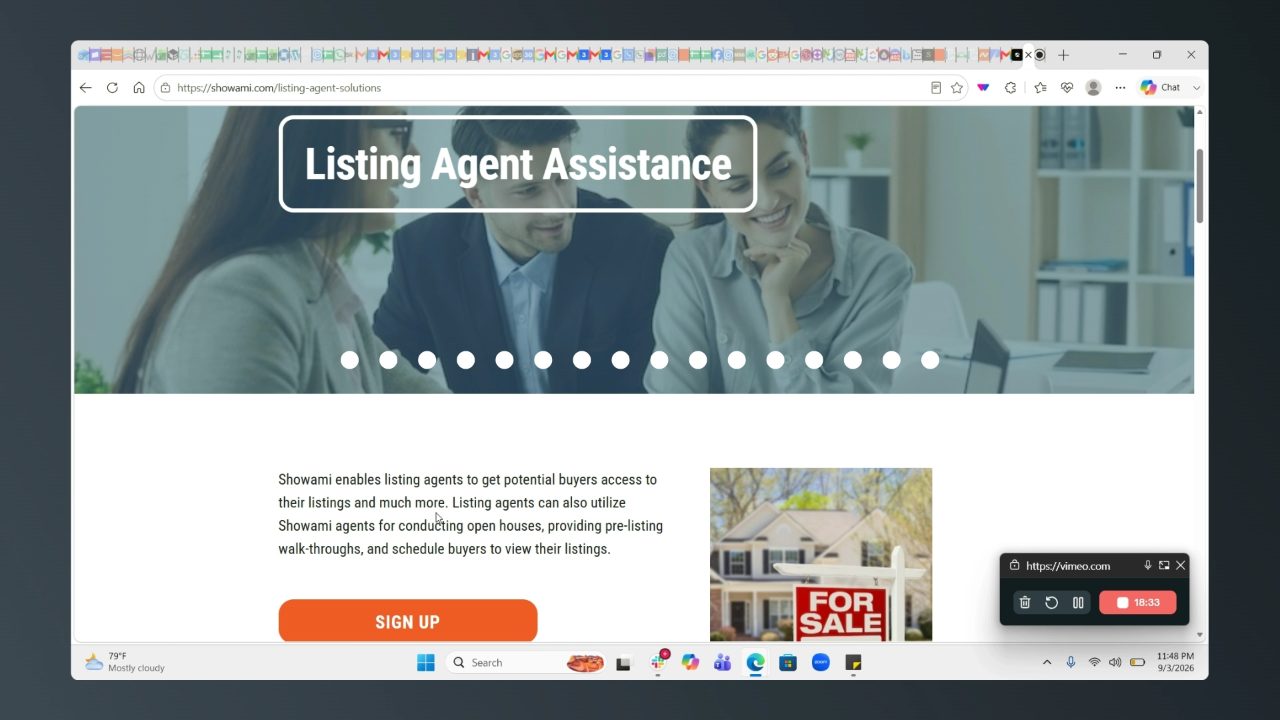
The gating idea (referrals, special request types, client dashboard) is worth more than the perks. - Role sprawl. Showami sells to showing agents, listing agents, brokerages, property managers and landlords, each with its own page. At 18:44:
I want to sign up as an agent, whether I want to accept payment or post a job. I think that this is too much. It's a little quirky.
Where Tour Dash already stands
Each thing Mike pointed at, against the app as of today. Some of it we already have, some is on the roadmap, and some is new.
| Showami thing | Tour Dash today | Status |
|---|---|---|
| Two-role sign-up | Sign-up asks one question: real estate agent, or contractor. No listing-agent, landlord or property-manager variants. | Have it |
| License number verified against a database | We collect the license number and state at sign-up and do nothing with it. Verification is a Phase 2 roadmap item. | Planned |
| Payout setup with routing validation, Stripe identity | Stripe Connect Express onboarding, built 4 September. Stripe does the bank and identity checks for us. See the Stripe Connect report. | Built, switching on |
| Requesting agent pays by ACH, Venmo or Zelle, not card | Checkout takes a card and the platform holds the money until the showing is confirmed done. ACH bank debit is a Stripe Checkout method we can turn on. Venmo and Zelle move money person to person, so the platform can't hold or refund it, which the hold-and-release model depends on. | Card only |
| Safety partner opt-in | Nothing. | New |
| Text and email within a second | Notifications are in-app only. Email goes to the team when a lead arrives, never to a user. No SMS anywhere. | Gap |
| Invite agents, earn $10 each | Nothing. No invite link, no referral credit. | New |
| Light theme | The app has both themes with a toggle. | Have it |
| Agent score on the dashboard | Reviews exist on profiles. There is no single score. A reliability score is listed as "on the table" on the overview. | Planned |
| Showing-agent course | Built 4 September as a page at /how-it-works, reading payout-first for a vendor and post-first for an agent. See Four from the walkthrough. | Built |
| Which MLS a showing belongs to | Built 4 September. Listings carry the board, every profile carries the boards it can get into and whether it holds a lockbox key, and a job outside your boards is flagged rather than hidden. See Four from the walkthrough. | Built |
| Coverage map | The landing page flies over a Mapbox market view and Find Opportunities has a radius map, but nothing shows an agent how many contractors cover an address. A coverage density map is listed as "on the table". | Planned |
| Price control with a volume discount | The fee is $5 plus 10%, which is $10 on a $50 showing, exactly the "20%, we would take 10" Mike asked for. Price is per showing; posting five costs five times as much. | Fee matches, no volume tier |
| Counter-proposals | Built 4 September. An applicant names their own price, the agent sees the gap against the posting, and the booking charges the accepted number. See Four from the walkthrough. | Built |
| Brokerage accounts, white label | Phase 3 roadmap item. | Planned |
| Empty opportunities page | Looked at, and rebuilt 4 September. It now names the distance to the closest job, lists the nearest three and offers the radius that reaches them. See Four from the walkthrough. | Built |
Proposed backlog
Ordered by how often Mike came back to it and how much of it we can build on what already exists. These are proposals for you and Mike to pick from. Nothing here is on the roadmap board yet, and nothing in the app changes with this report.
- Counter-proposal on an application. An applicant can name a different price, the agent accepts one or declines. Mike liked it, the pricing teardown wanted it, and the hold-and-release payment flow already books whoever gets paid, so the only new piece is the offer itself. Small
- Invite link with a fee credit. Each account gets a link. When someone it brought in completes a first showing, the inviter's next showing carries a smaller platform fee, or a flat $5 to $10 credit in the wallet. Mike named both; the fee waiver costs us nothing until the invitee has actually transacted. Medium
- MLS on the showing, access on the profile. One field on the showing form for which MLS the listing is in, and two checkboxes on the contractor profile for MLS access and lockbox key. Find Opportunities can then hide showings an agent can't get into. Small
- Text and email on the moments that matter. Application received, application accepted, showing confirmed done, payout sent. Resend is already wired for the team; SMS needs a provider. Medium
- Volume pricing. When one agent posts several showings in one go, the per-showing price steps down. Mike's example was five showings at less than $45 each and one showing at about $50. Needs a decision on whether the step comes off our fee or off the contractor's payout. Needs a pricing call
- Coverage count on the empty state and the landing page. "Twelve contractors cover this ZIP" is the answer to the dead end Mike hit on Showami, and the same number is a sales line on the landing page once it is true. Medium
- License verification. Already Phase 2. New Jersey's licensee search is the first source; this walkthrough is a reason to pull it forward. Medium
- Agent score. One number on the dashboard built from completed showings, on-time arrivals and reviews. Overlaps the reliability score already on the table. Medium
- Safety partner. Mike named Forewarn. An opt-in card on the contractor profile, nothing deeper until a partner exists. Small, needs a partner
- Course. A short "how to accept, show and get paid" page or video for new contractors. Showami's is a Thinkific embed; ours can be a page. Small
- ACH for the requesting agent. Turn on bank debit in Stripe Checkout alongside cards. Venmo and Zelle stay out for the hold-and-refund reason above. This is a question for the Stripe build, not a separate item. Decision
- Light theme. Already there. If Mike wants it as the default, that is a one-line change. Have it
Sources
- The recording. vimeo.com/1223878644, password protected, uploaded by Mike on 3 September 2026.
- Transcript and frames. The caption track as text and the fourteen frames under /assets/showami-walkthrough. Frames from the bank-account and identity minutes were left out on purpose.
- Earlier reports. How Showami makes money for the fee ladder and the Platinum tiers, and Stripe Connect wired in for what our payments do today.