The Property Hub
Two asks came in from a beta user on 7 September, and they turned out to be very different jobs. One was for a “Preferred Vendor” list, which the product already had — as a filter chip on the page for finding new people, which is why she never found it. The other was for somewhere to see everything attached to one house: cleaning, sign installation, inspection, CO, coverage. That one did not exist at all, and could not, because a listing IS a job at an address and two jobs on one house were two unrelated rows with nothing joining them. Both are built. The second needed a new table, and it was shaped by a detail in her own list: only three of the five things she named are things Tour Dash sells.
What she actually asked for
Two messages, back to back. Worth reading in her own words, because the second one contains the constraint that decided how this was built.
Also Is there a way I can do Favorite list? I am the type of person I stick to the people I can rely on and trust! Maybe a section as “Preferred Vendor” and hire them again without searching?
Maybe it’s just me, but I’m neurotic about having everything organized in one place. I have so much on my plate and sub out almost everything. It would be great to create a property profile like hub or something and see everything attached to it cleaning, sign installation inspection CO coverage everything in one place
The list in that second message is the specification. Cleaning, sign installation and coverage are Tour Dash trades. An inspection and a certificate of occupancy are not, and never will be — an inspector is hired outside this marketplace and a CO is issued by a township. She was not describing a filtered view of her Tour Dash jobs. She was describing the spreadsheet she keeps, and asking whether the product could replace it.
The preferred list was already there
Every part of it shipped months ago. What was missing was anywhere it read as a list rather than as a setting.
- The table existed.
saved_providers, with a save control on every vendor card and on every vendor profile. - The ranking existed. The hire wizard already opened with “People you’ve saved. Picking one opens their trade”, and already floated saved vendors to the top of the shortlist for a trade.
- The filter existed. A “Saved only” chip on the vendor directory.
- And she asked for the feature anyway. That is the finding. A filter is not a place. The only route to her own people ran through the page for finding new ones, and it was called “saved” rather than the word she used.
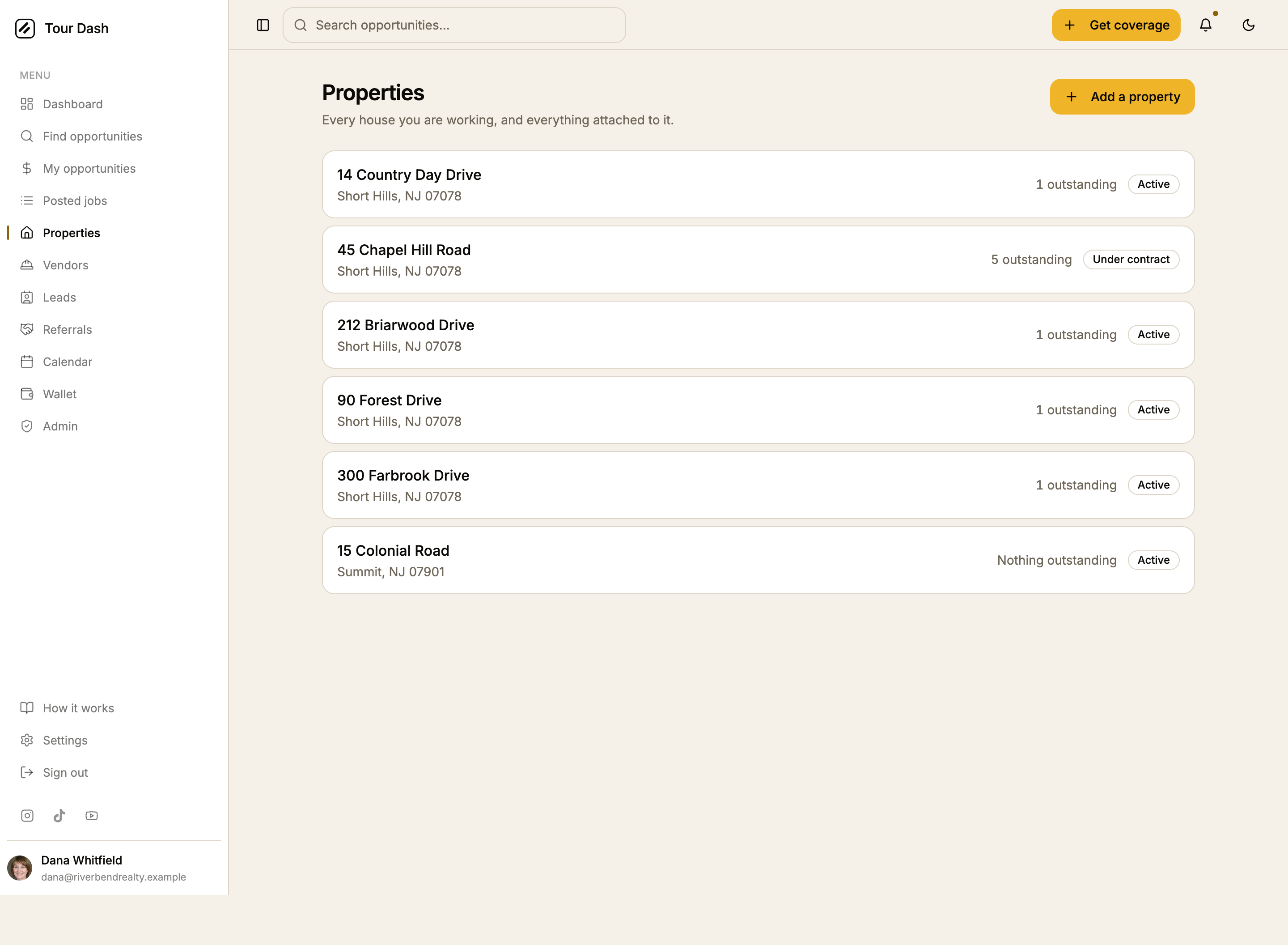
So nothing was rebuilt. The same data was given a shape, a name and a door: a Preferred vendors section at the top of the directory, and a row of them on the dashboard. One tap opens the hire wizard with the trade and the person already chosen, which is the literal request — hire them again without searching. Somebody who has not finished payout setup is shown as unbookable on the row rather than three screens into the wizard.


The hub
One house and two lists, divided by whether Tour Dash sells the work.
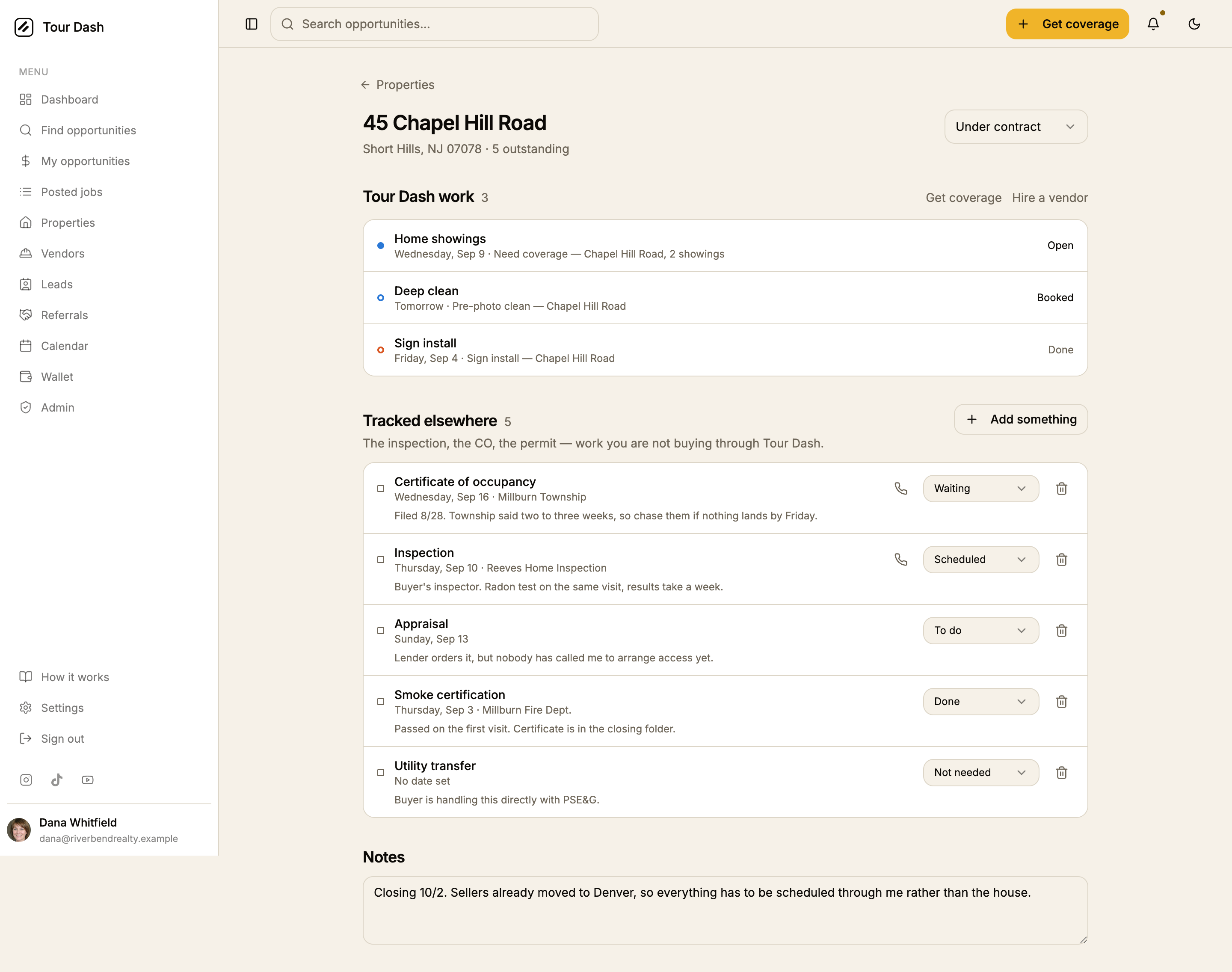
- Tour Dash work is the jobs on this house, pulled by property rather than by matching addresses, so a job stays where you put it even after a typo in the address is corrected. Each row keeps the mark it has everywhere else: a filled disc for work another agent can take, a hollow ring for vendor work.
- Tracked elsewhere is the inspection, the CO, the permit, the survey. Free-text label with the common ones offered as one tap, because “CO” in one township is “U&O” in the next. Who is doing it is free text and deliberately not a Tour Dash account — the point is that these people are not on the platform — with a tap-to-call number beside it.
- Four states, and the useful distinction is scheduled versus waiting. Scheduled means a date is on the calendar and it happens on its own. Waiting means it is out of your hands, filed with the township, and nothing moves until you chase it. That is the difference that decides what to do today, and it came straight out of how she described these things.
- One outstanding count, not two. The question is how much is left on this house. Answering it with a Tour Dash number and a separate everything-else number would be the same split the hub exists to remove.
- Hiring from the hub carries the address. Get coverage and Hire a vendor open their flows with the house already filled in, seeded rather than locked so a typo is still correctable.
- Pipeline stage is drawn in weight, not colour. The palette is spent — three hues for service family, fill for who can take the work, amber for the primary action. A live property’s stage is foreground ink and a retired one recedes to muted, which is the only distinction the list needs at a glance.
What went into the database
Two tables and one column, plus a backfill so the feature does not ship empty.
| What | Why it is shaped that way |
|---|---|
| properties | Belongs to the agent, not the house. Two agents co-listing get a row each, which is correct rather than duplicated: the hub is a private worklist and its notes are your own. |
| address_key | Generated in the database, never written by the client, so the key and the address can never disagree. Normalises case, punctuation and whitespace only — it does not expand “Ave” to “Avenue”. Splitting one house into two hubs is a nuisance you fix by renaming; merging two houses into one is data loss. |
| listings.property_id | on delete set null, emphatically not cascade. A listing carries applications, an appointment and a payment, and money that has moved cannot be un-moved by tidying up a hub. |
| property_items | The work Tour Dash does not sell. Ownership is checked through the parent rather than by carrying a copy of the agent id, because a copy can be wrong in a way the subquery cannot express. |
| The backfill | Groups every listing already posted onto a house by normalised address. Without it an agent with forty posted jobs opens the list to nothing and concludes it does not work. |
New jobs are attached in the client rather than by a database trigger. A trigger fires for every insert, including listings posted by vendor accounts and by the demo seed, and would create properties for accounts with no hub to show them in. It also cannot be explained on screen. The find-or-create runs at the two places that post a job, catches the unique-index violation if two tabs race, and re-reads.
How it was checked
- The migration was rehearsed against production before it was applied. Postgres DDL is transactional, so the whole file plus its verification queries ran inside a transaction that was then undone. The normaliser collapsed the cases it should and kept two towns apart, every addressed listing came out attached, and no property ended up owned by anyone other than the agent who posted the job. Applied for real afterwards, the same queries returned the same answers.
- The write path was exercised as a real signed-in agent, which mattered because
posting a job now depends on it. Under the
authenticatedrole carrying a real agent's claim, the insert, the read-back and the update all passed on both new tables, so the row-level policies permit what the app actually does rather than only looking correct. Run inside a transaction and rolled back; nothing was left behind. - Typecheck and build pass against
tsconfig.app.json, which is the config that actually checks files. - Every path was driven in a real browser on the demo build: the list, the hub, the two prefilled hire flows, both preferred-vendor surfaces, and adding an item. No console errors.
- The demo seed derives its properties the same way the backfill does rather than declaring them by hand, so the demo cannot drift into a shape the database could not produce. 45 Chapel Hill Road is the worked example: a clean, a sign install and a coverage request, beside an inspection and a CO.
Shipped, and what is left
- Both are done: the migration ran, then the app shipped. That order was the one
constraint, because posting a job now resolves its property first and would have failed at
the last step against a database without the tables. The live bundle was checked on
app.tourdash.iorather than trusted from the deploy log. - No tile on the dashboard quick actions. That grid holds exactly six tiles across one row for an agent, and a seventh would leave a dangling tile or force every tile narrower. Properties is in the sidebar and has a dashboard section; whether it earns a tile is a layout call worth making deliberately rather than in passing.
- Existing jobs cannot be moved between houses from the UI. The plumbing is there. Nothing surfaces it yet, and it only matters once somebody creates a duplicate hub from a typo.
- Nothing is shared between co-listing agents. A property is one agent’s private worklist by design. Sharing one is a different product with a permissions model attached, and worth asking her about before building.