Payments verified
The question came in by text: is Adrianna set up to get paid? The answer was in the database and nowhere on the screen. The command center now has a section that reads the four Stripe Connect flags on every profile and says, per person, whether money can reach them today and if not, what Stripe is still waiting on.
Adrianna, today
Read from the live profiles table on 12 September in the afternoon. Her email and Stripe account id are in the admin panel, not here.
| Field | Value | Meaning |
|---|---|---|
| Account | Adrianna D., agent | Joined 9 September |
| Stripe account | Yes | An Express connected account exists |
| Details submitted | Yes | She finished the onboarding form |
| Charges enabled | Yes | Stripe verified her identity |
| Payouts enabled | Yes | A bank account is attached and cleared. This is the one flag the app acts on. |
| Verified since | 12 September, 12:47 pm ET | Stamped the first time payouts came on |
| Card on file | No | She has not paid for a booking yet; a card is asked for at her first checkout |
She is verified and ready. Payouts switched on at lunchtime today. As an agent she pays for bookings with a card at checkout, and the connected account is what lets her be paid for leads she sells on the marketplace. Nothing is outstanding on Stripe's side.
The new section
It sits between "Who is on the platform" and "Records", with its own rail count: how many vendors Stripe will pay today.
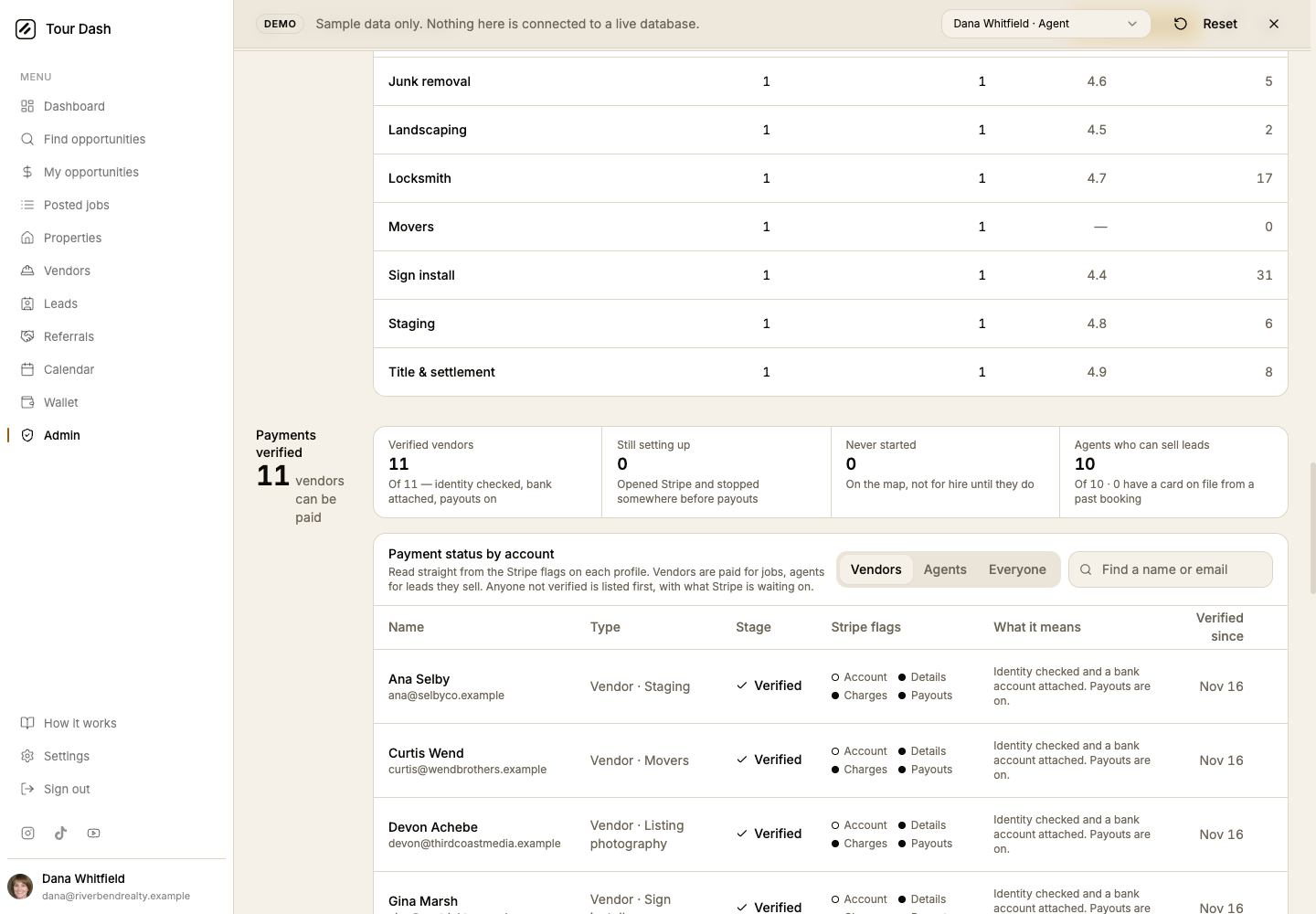
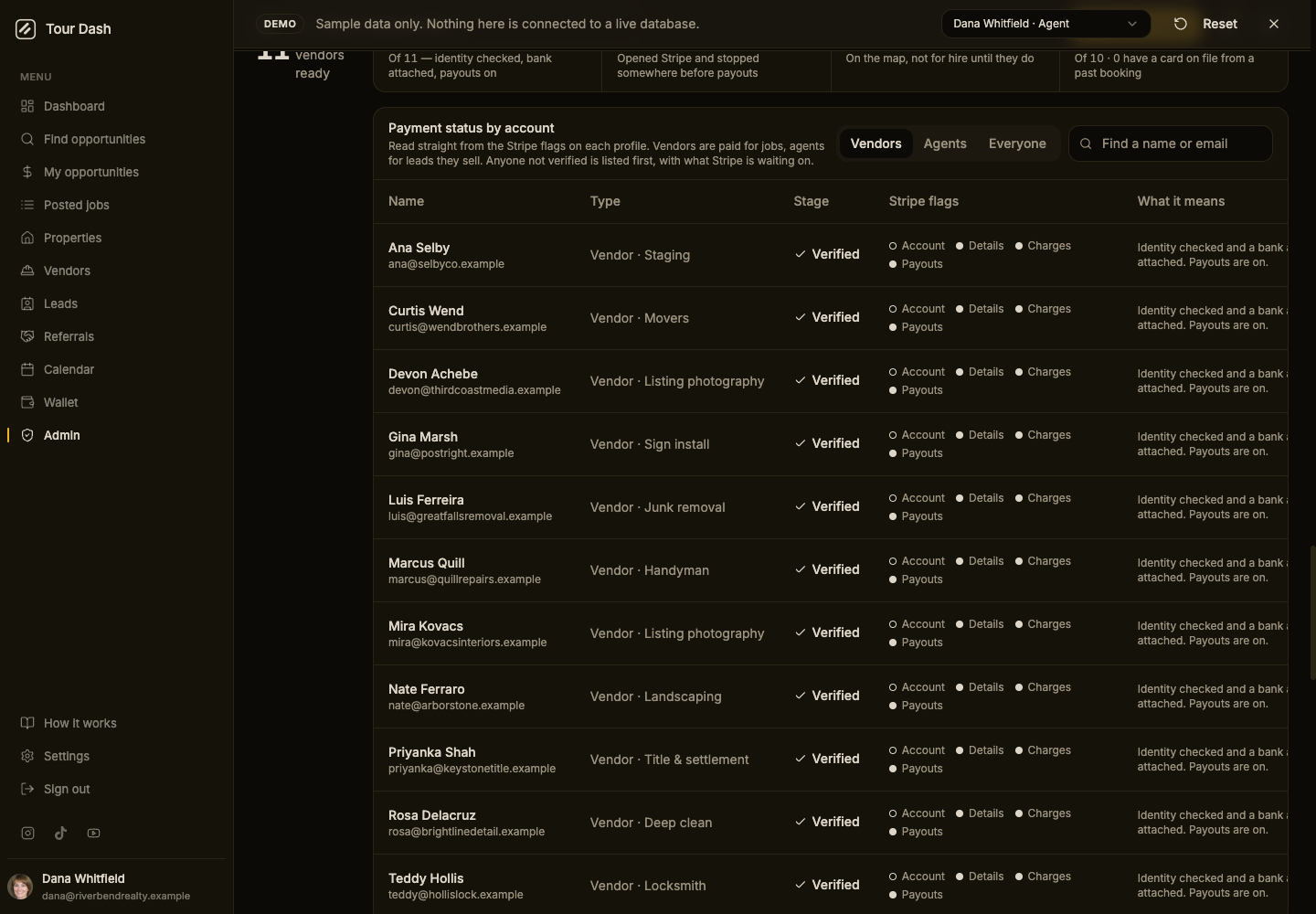
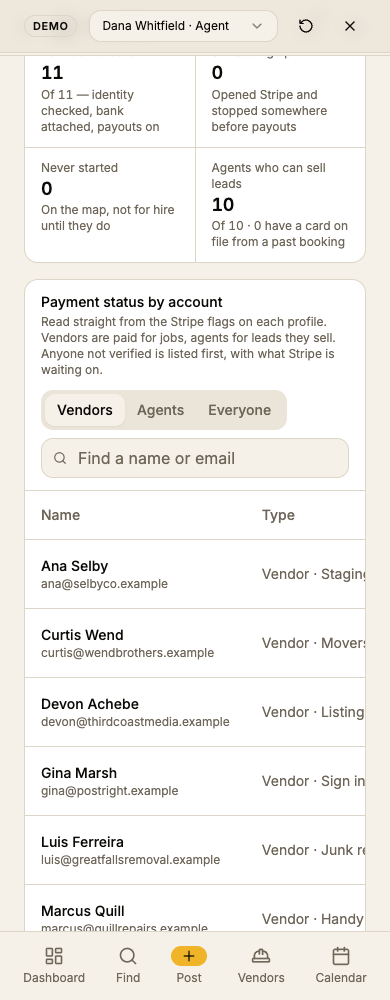
Each row is the four booleans the Connect webhook writes to the profile, shown as they are rather than summarised, so "Verified" here is exactly what the checkout reads before it takes a card. The flags come on in a fixed order, which is what lets the stage column say something more useful than "pending":
| Stage | Flags | What the admin can say on the phone |
|---|---|---|
| Verified | payouts on | Identity checked and a bank account attached. Payouts are on. |
| Bank account missing | charges on, payouts off | Stripe has verified them but no bank account has cleared yet, so there is nowhere to send the money. |
| Stripe reviewing | details submitted, charges off | The form is complete and Stripe is still checking the identity. |
| Started, not finished | account id only | Onboarding was opened and left before the form was submitted. |
| Not started | vendor, no account | Has never opened Stripe onboarding from Settings, so cannot be booked. |
| No Stripe account | agent, no account | Pays at booking time. Only needs Stripe to sell leads. |
Anyone not verified sorts to the top, because those are the people somebody has to call. The external link on a row opens the connected account in the Stripe dashboard for the one case the flags do not explain.
Two things worth knowing
Agents get verified too. The first draft treated agents as payers only. Adrianna is an agent with a fully verified connected account, which is the lead marketplace: an agent who sells a lead is paid through Connect the same way a vendor is paid for a job. The stages now read the same for both sides, and the fourth figure counts agents who can sell leads.
The demo shows a hollow Account dot next to Verified. The sample vendors carry no Stripe account id on purpose, so the demo can run with no Stripe at all. On the live database an account id is always present before payouts can be on, so that combination never appears there.