The Shelf is in the app, on sample stock
Michael picked direction A from the marketplace report and asked for it applied locally. It is: a Marketplace page in the sidebar for agents and vendors, a photo grid inside the radius on the account, an item on the Desk with a Buy that holds the money until pickup, a thread with the money as cards in it, and a six-field Sell dialog. Nothing is saved yet and nothing is deployed. This page says what is there, what was checked, and what stands between it and going live.
What is there
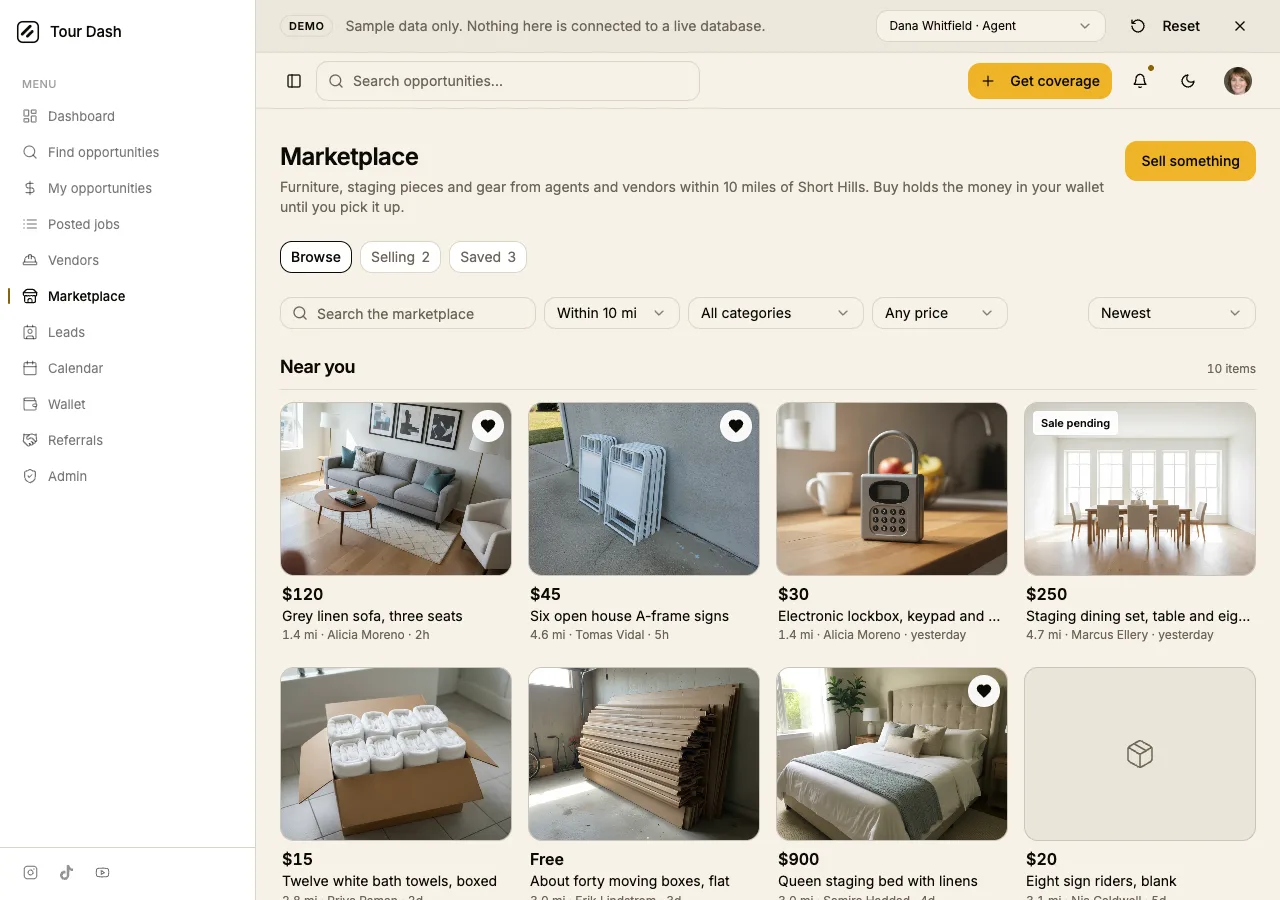
- Marketplace in the sidebar, between Vendors and Leads, for both sides. A stager has as much to sell as an agent does.
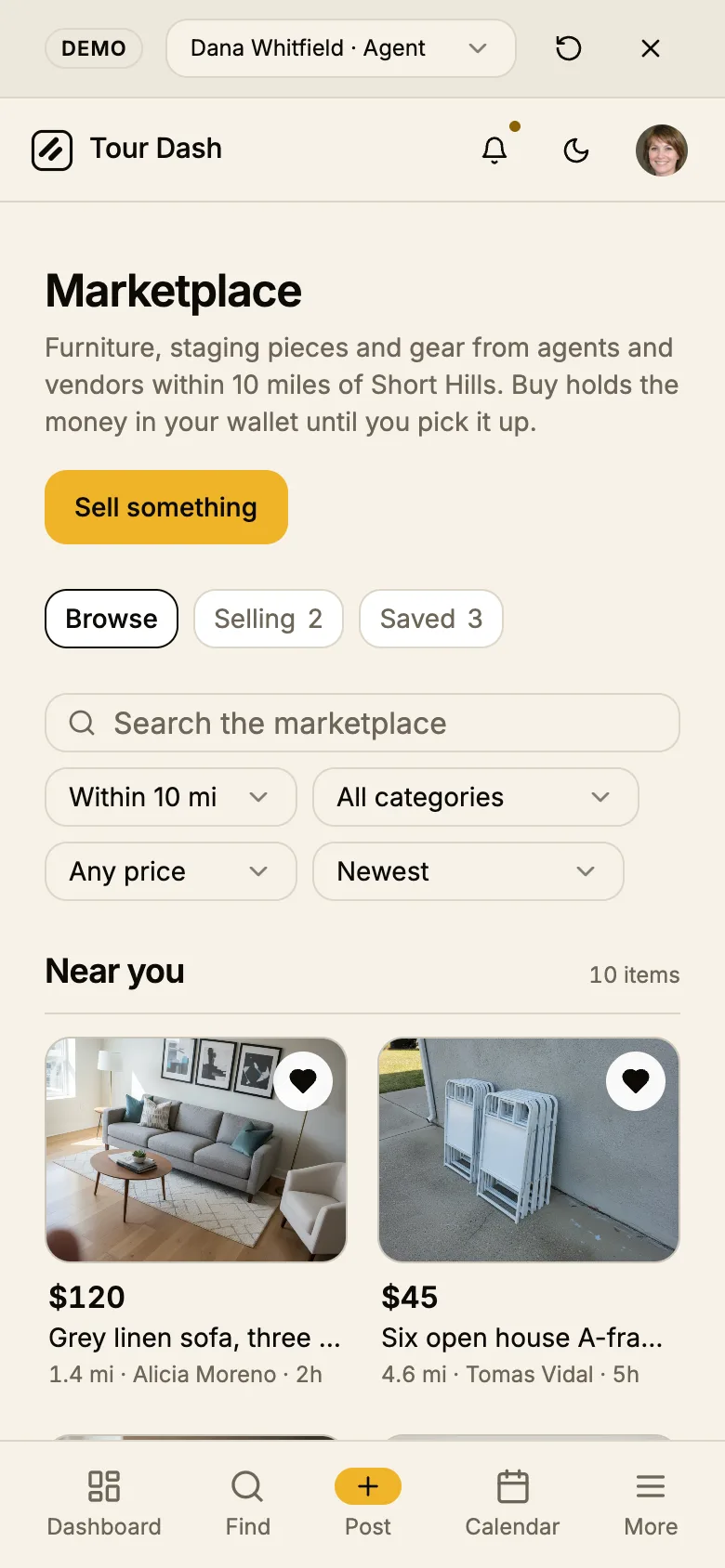
- The grid. Two across on a phone, four on a desk. Price, title, then distance, seller and age on one small line. The radius is a select of the same presets Find opportunities uses, seeded at 10 miles, measured from the point on the profile. Category, price band, sort and a search sit on the same row.
- Sell something is the one amber on the page. The heart on a tile is quiet, and Selling and Saved are pills with counts, not pages.
- Sale pending is a grey tag. The item stays on the grid so a second buyer can ask to be next; Buy is off and the button reads "Ask to be next".
- Free is a price. Boxes and hangers skip the wallet. Claim it opens the thread.
Buying
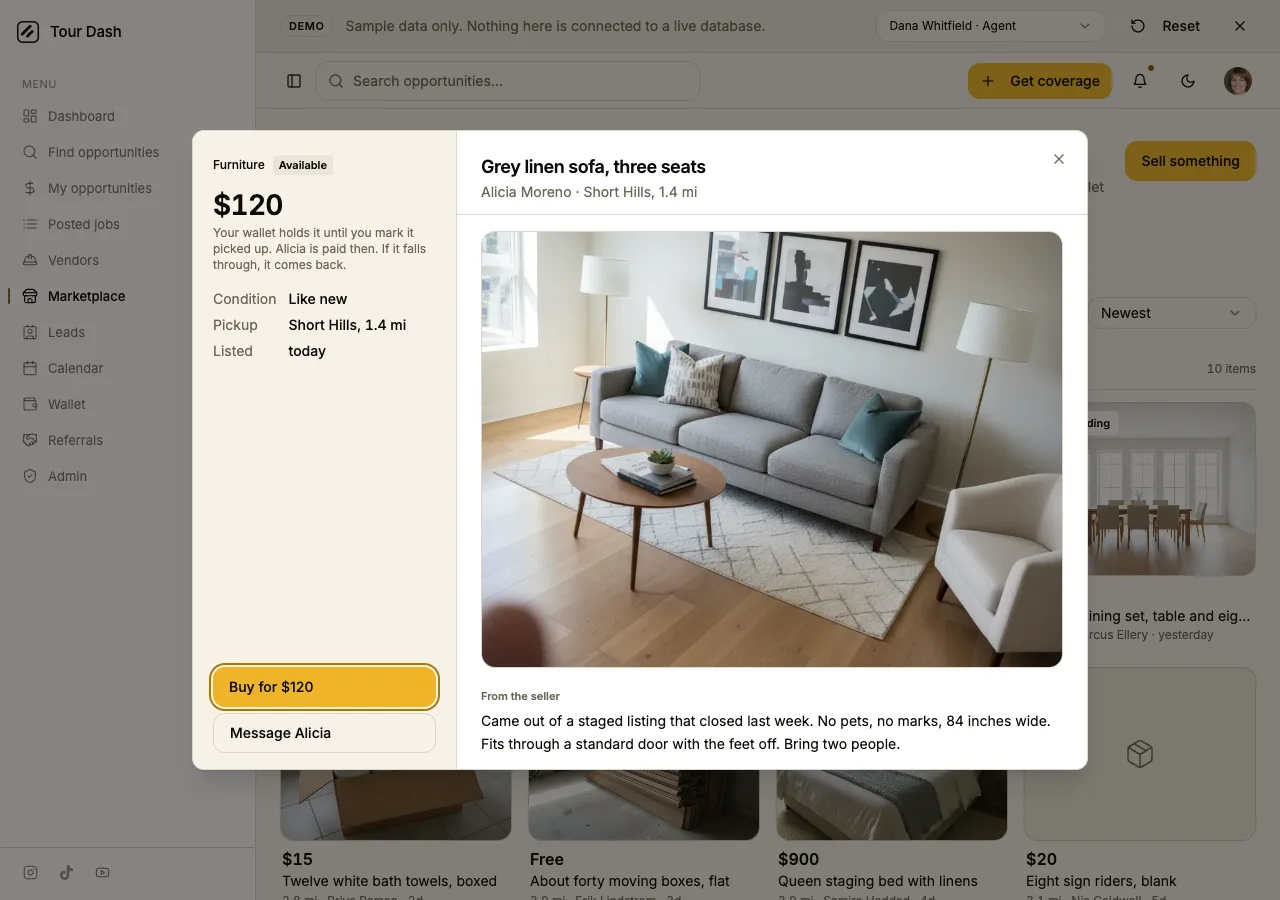
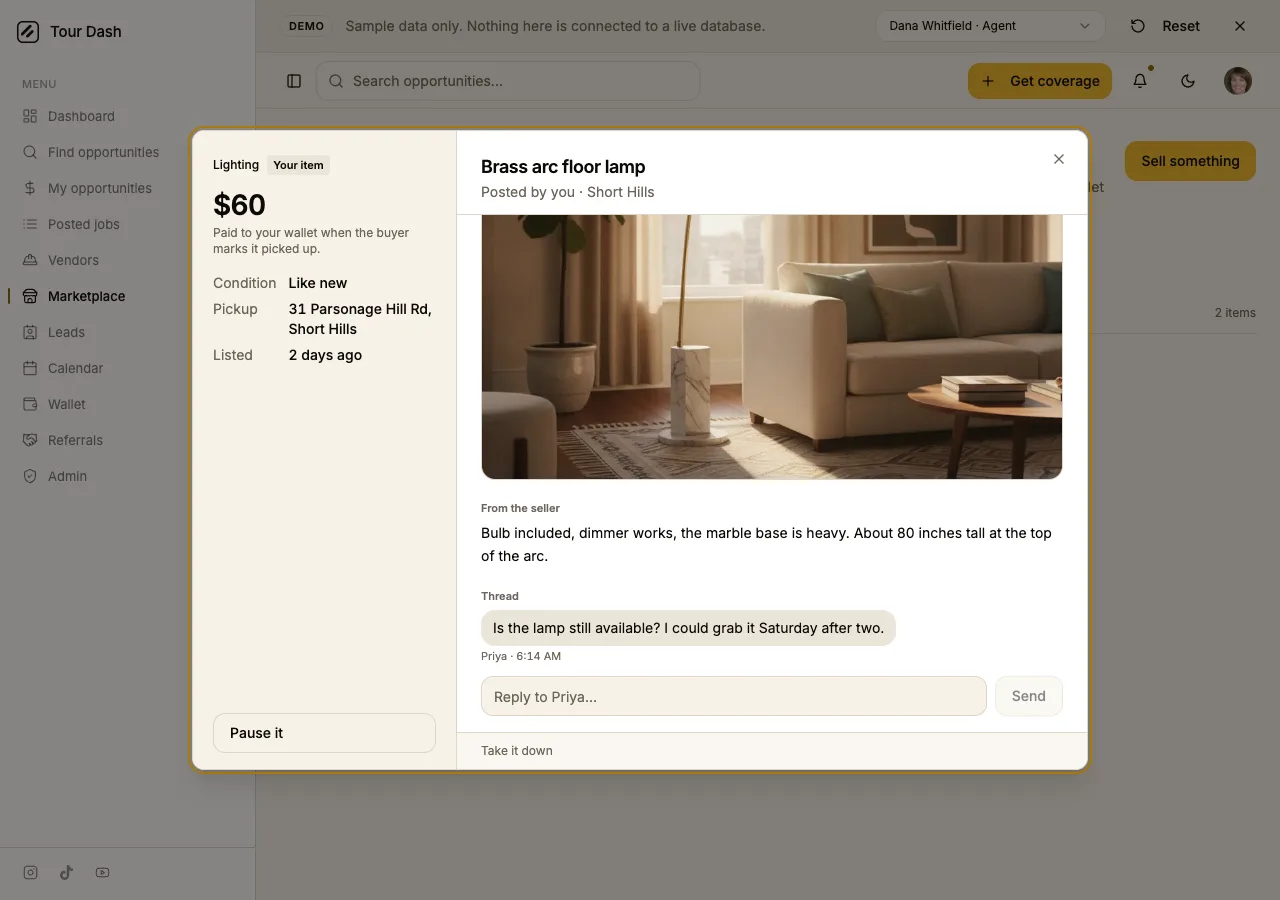
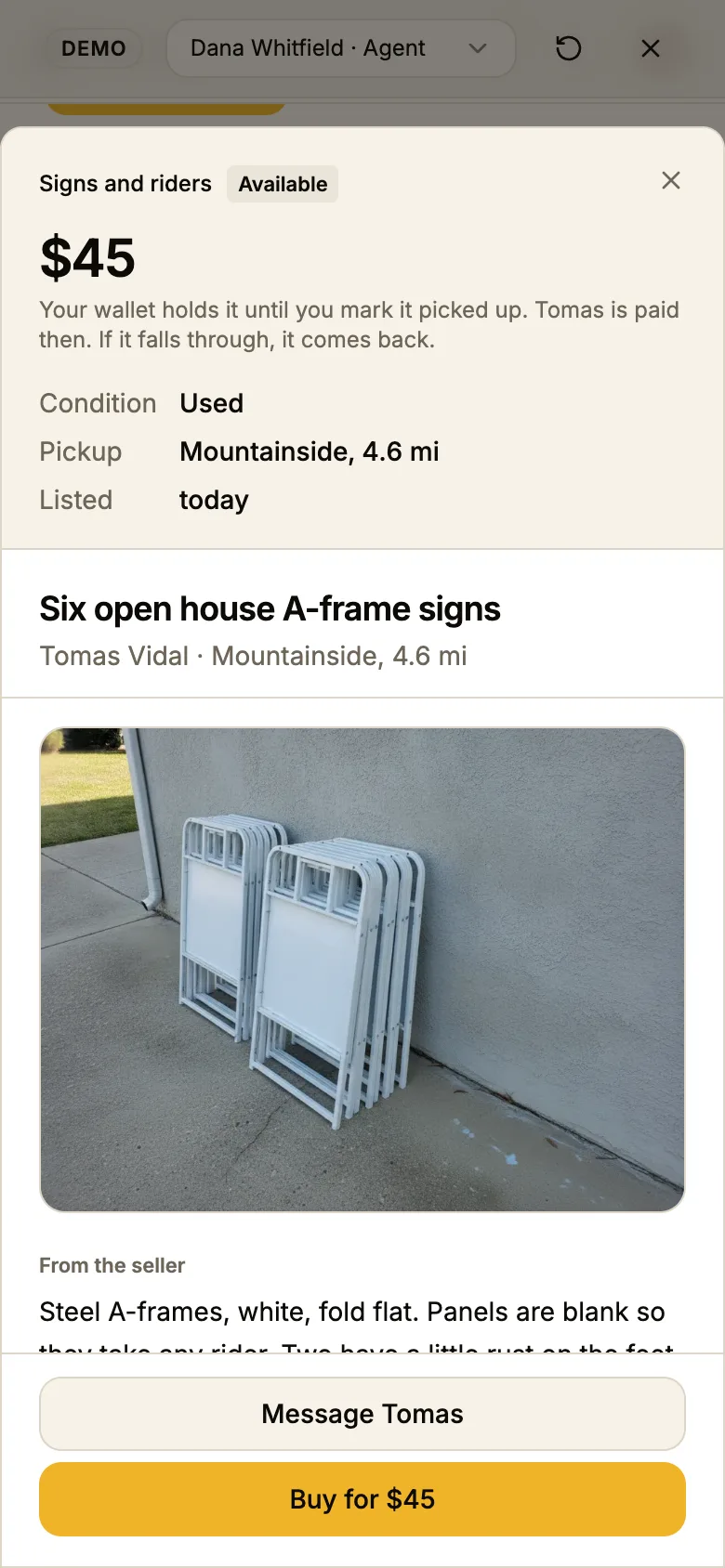
An item opens on the Desk. Left: the category and state, the price as the biggest thing, the sentence that is the whole contract under it, then condition, pickup and listed. Right: the photo, the seller's own words, the seller card with the job count and the Verified check, and the thread.
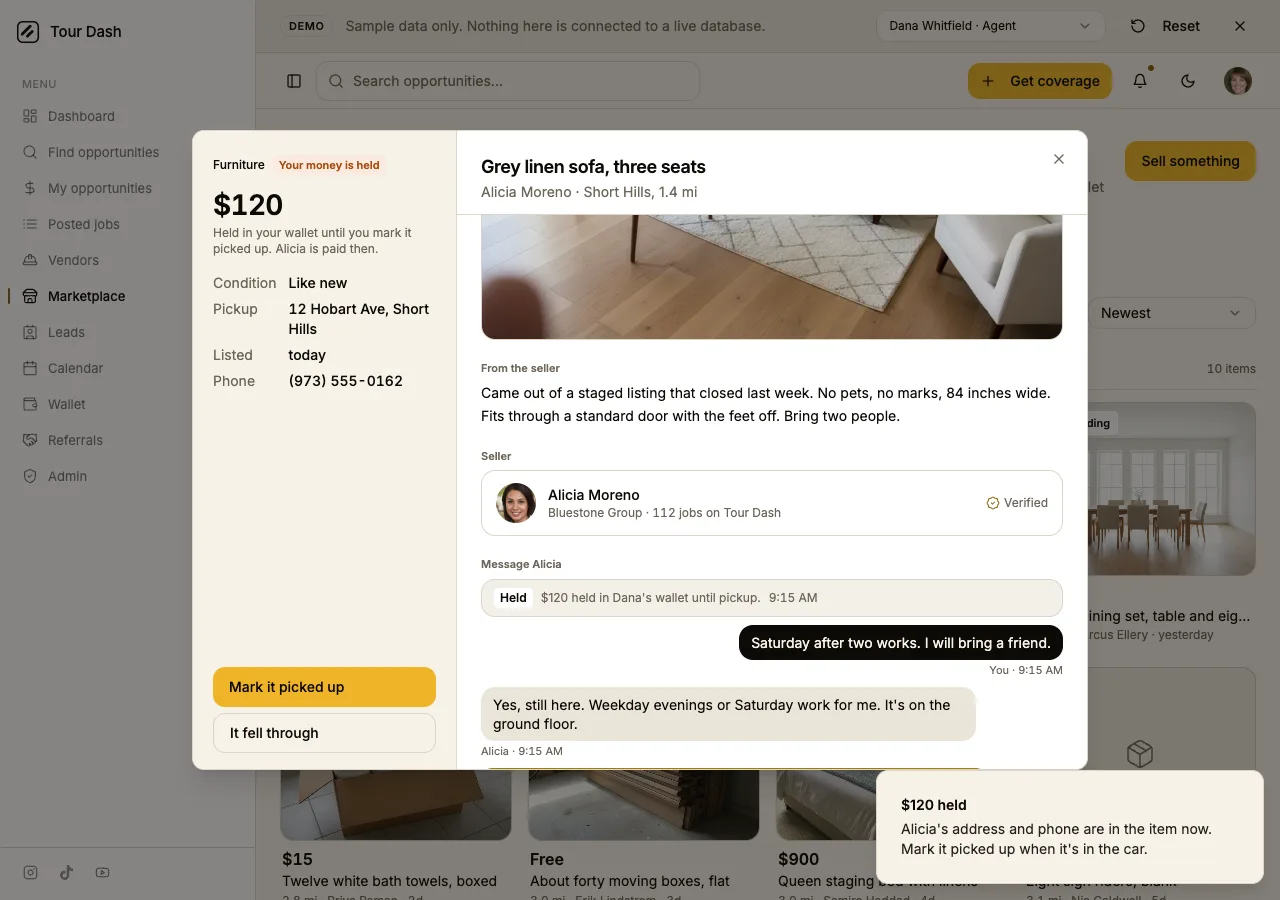
- Buy holds, it does not pay. Pressing it puts the money in a hold, turns the state to "Your money is held", and swaps the pickup town for the street and the seller's phone. The stack becomes Mark it picked up and It fell through.
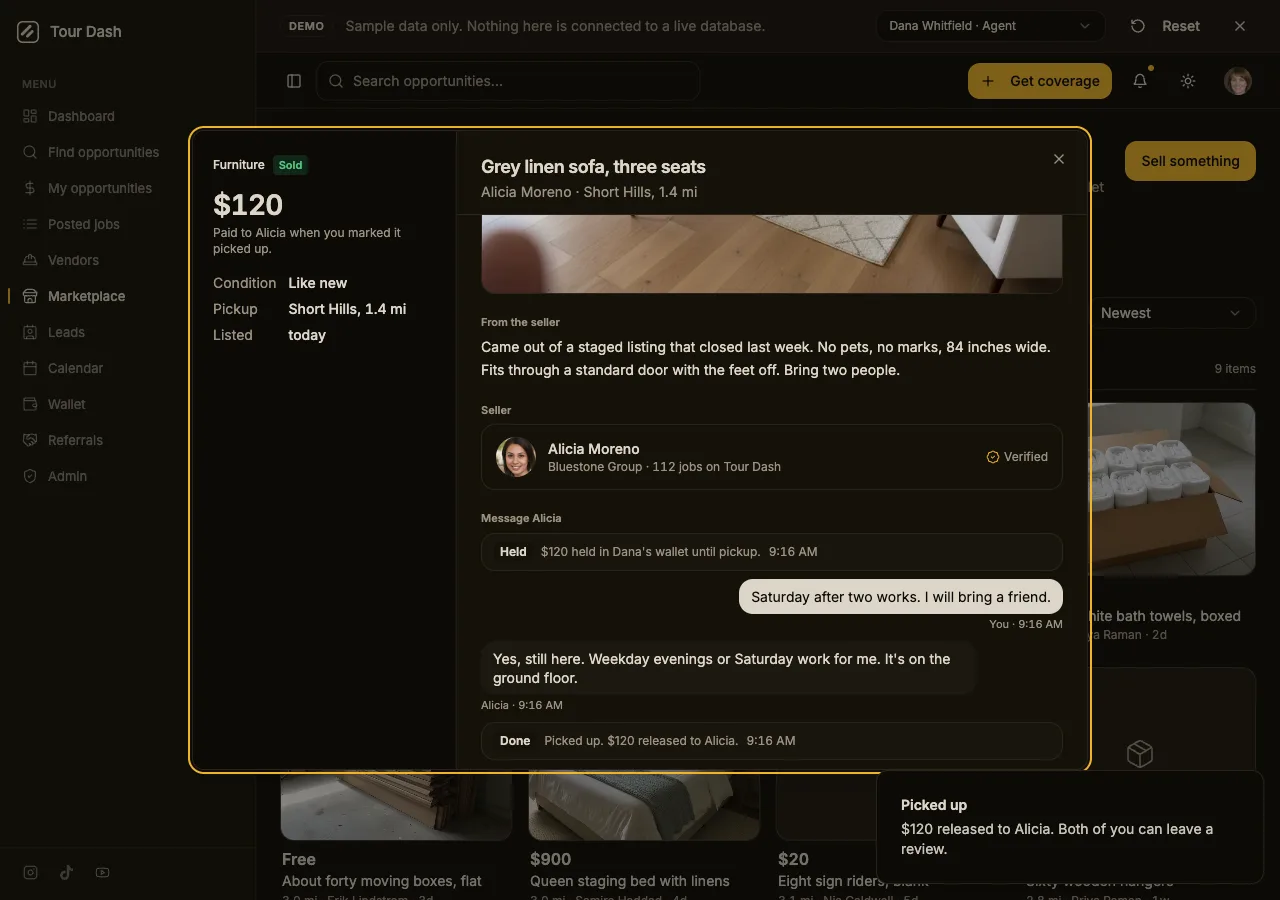
- The money lives in the thread. Held, Done and Returned are cards between the messages, so nobody leaves the conversation to find out where things stand.
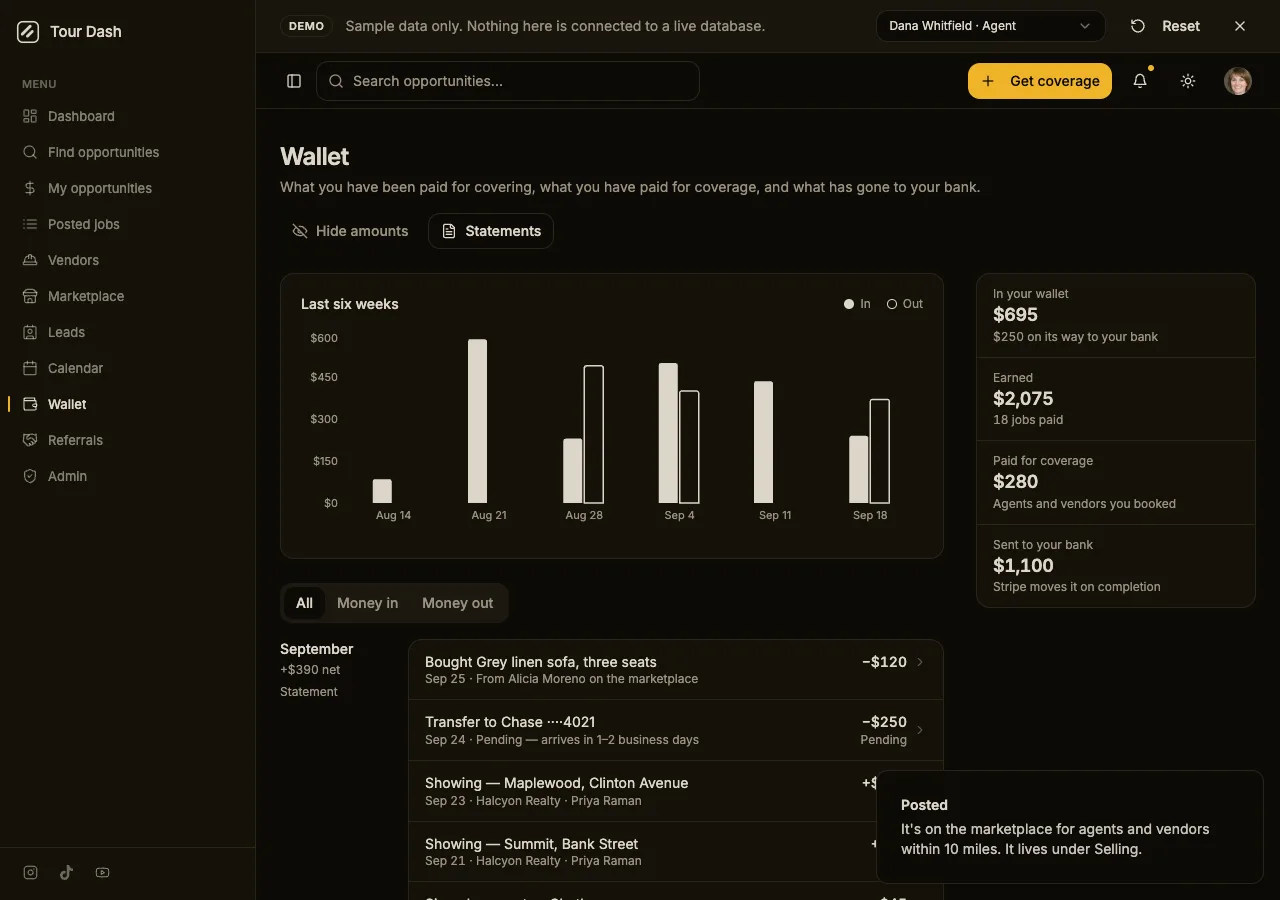
- Picked up pays the seller. In the demo the wallet gets the two lines a sale makes: "Bought Grey linen sofa" out of the buyer's wallet and "Sold Grey linen sofa" into the seller's.
- A sample seller answers the first message a beat later, so the thread shows two voices without a second account.
Selling
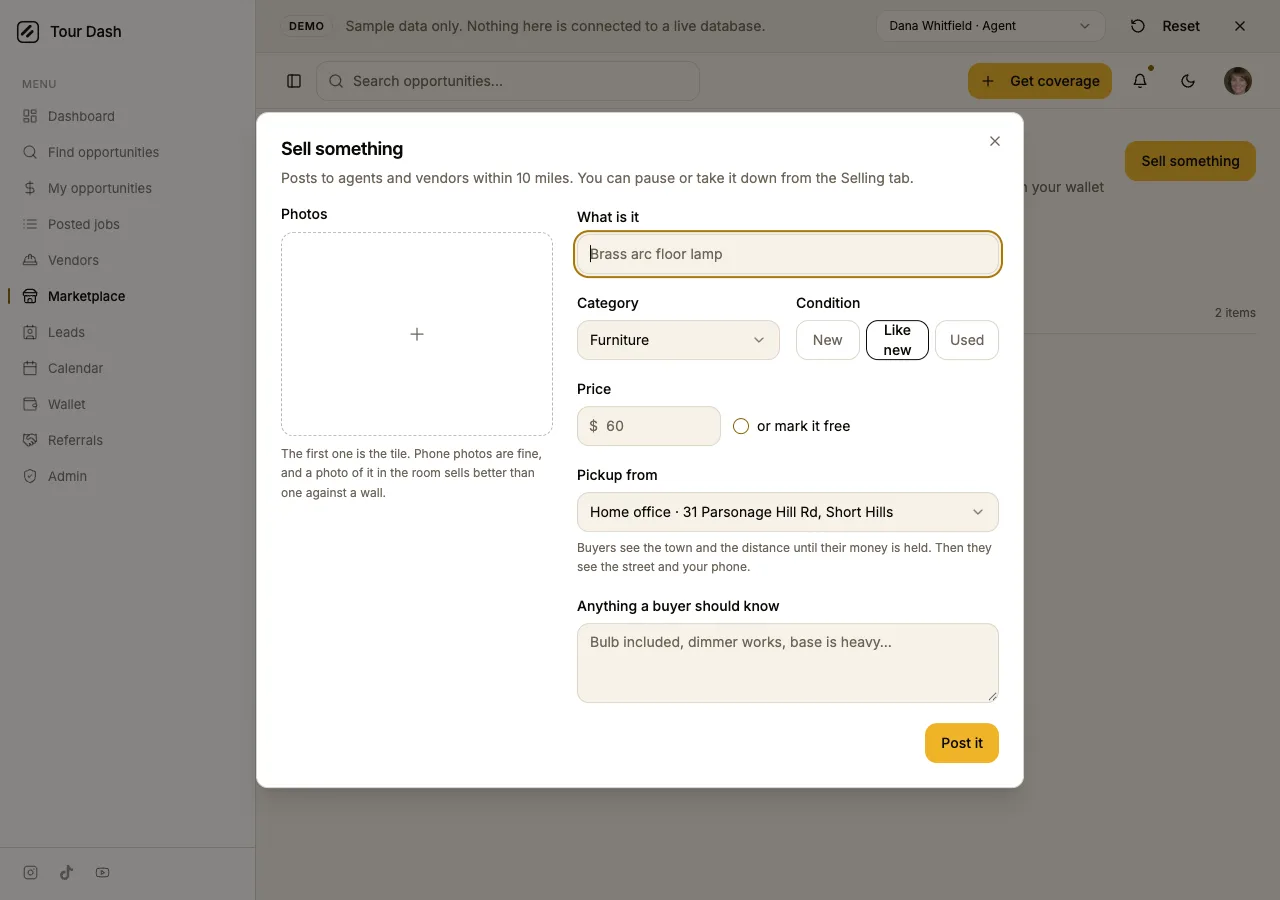
The Sell dialog is the six fields from the report. Photos are the left half and the first one is the tile; what is it; category; condition as three pills; price with "or mark it free"; pickup from a saved place, the home office or the brokerage, or somewhere else with a street typed in; and a note. Post it is the dialog's one amber, and the item lands under Selling.
Your own item opens on the same Desk with the sides swapped: no Buy, Pause it in the stack, Take it down on the floor, and the thread from whoever wrote. When more than one buyer has written, their names are pills over the thread.
What was checked
- Typecheck against
tsconfig.app.jsonand a production build, both clean. - A headless walk of the demo in both themes: open an item, buy, message, mark picked up, open your own item, post a new item, the Saved tab, the wallet. No console errors beyond the dev tagger's usual Fragment warning, which every page has.
- Layout width read at 1280 and 390: neither scrolls sideways.
/demostill makes no Supabase request. The store is in memory in both modes.
What is deliberately not there
| Piece | State | Why |
|---|---|---|
| Tables and photos in Supabase | Not written | The ask was local. The hook is the seam; the components do not know where the items come from. |
| The hold on the live wallet | In memory | Live, a hold is a Stripe charge to the platform and a transfer on release, the same path a job uses. That is Edge Function work, and it needs the answer on whether Tour Dash takes a cut. |
| Notifications and email for a message or a hold | Not wired | The notifications table and its triggers exist; a thread table does not. Messages are the first thread feature in the app. |
| Reviews after a pickup | Copy only | The Done card says both can leave a review. The review dialog is tied to a booking today. |
| Your own radius saved | Page state | Same as Find opportunities: agents open at the preset, and the setting is not stored on the profile yet. |
Still open for Michael
- Does Tour Dash take a cut on a sale, and if so the rule. The fee file has the jobs ladder and the leads ladder and nothing for this.
- Which categories on day one. Eight are in: furniture, staging pieces, lighting, linens and towels, signs and riders, lockboxes and keys, boxes and packing, everything else.
- Whether Marketplace belongs on the phone's More sheet only, where it sits now, or takes a bar slot from something.
Where it is
Working tree of ~/tour-dash, uncommitted: src/pages/Marketplace.tsx, src/components/ShelfTile.tsx, ShelfItemDialog.tsx, SellItemDialog.tsx, src/hooks/useShelf.ts, src/lib/shelf.ts, shelf-sample.ts, nine photos under public/demo-media/shelf/, and one-line changes to the two route files and the sidebar. Open it at localhost:8080/demo/marketplace.