The first five minutes
A new account landed on the dashboard with no photo, no bio and no Stripe, which is an account nobody can book and nobody can pay. /welcome is now two cards. Each one opens the real control in a pop-up, and doing both puts a Verified check on the profile. Below them, three cards say what the account can actually do and open the door to each.
It took three goes to get the size right
Worth recording, because the two rejected versions failed in opposite directions.
| Version | What it was | Why it went |
|---|---|---|
| First | Three numbered screens: features, profile, payouts. | Too vague. The opening card said the money is held and somebody nearby applies. Both true, and neither tells a new agent anything they had not already assumed. |
| Second | A progress bar and ten cards covering everything the product does. | Too much to look at. Accurate, and nobody wants the manual on their first day. |
| Third | Two cards, each opening its control in a pop-up. | Only two things gate anything, so only two things are on the page. The manual stays on How it works, linked at the bottom. |
The page
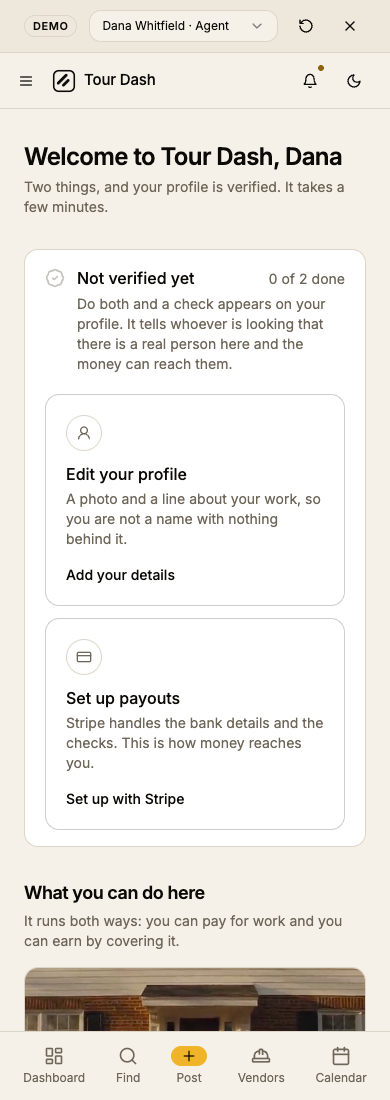
A heading, the check to earn, the two cards, and the clips. This is what a genuinely new account opens on.
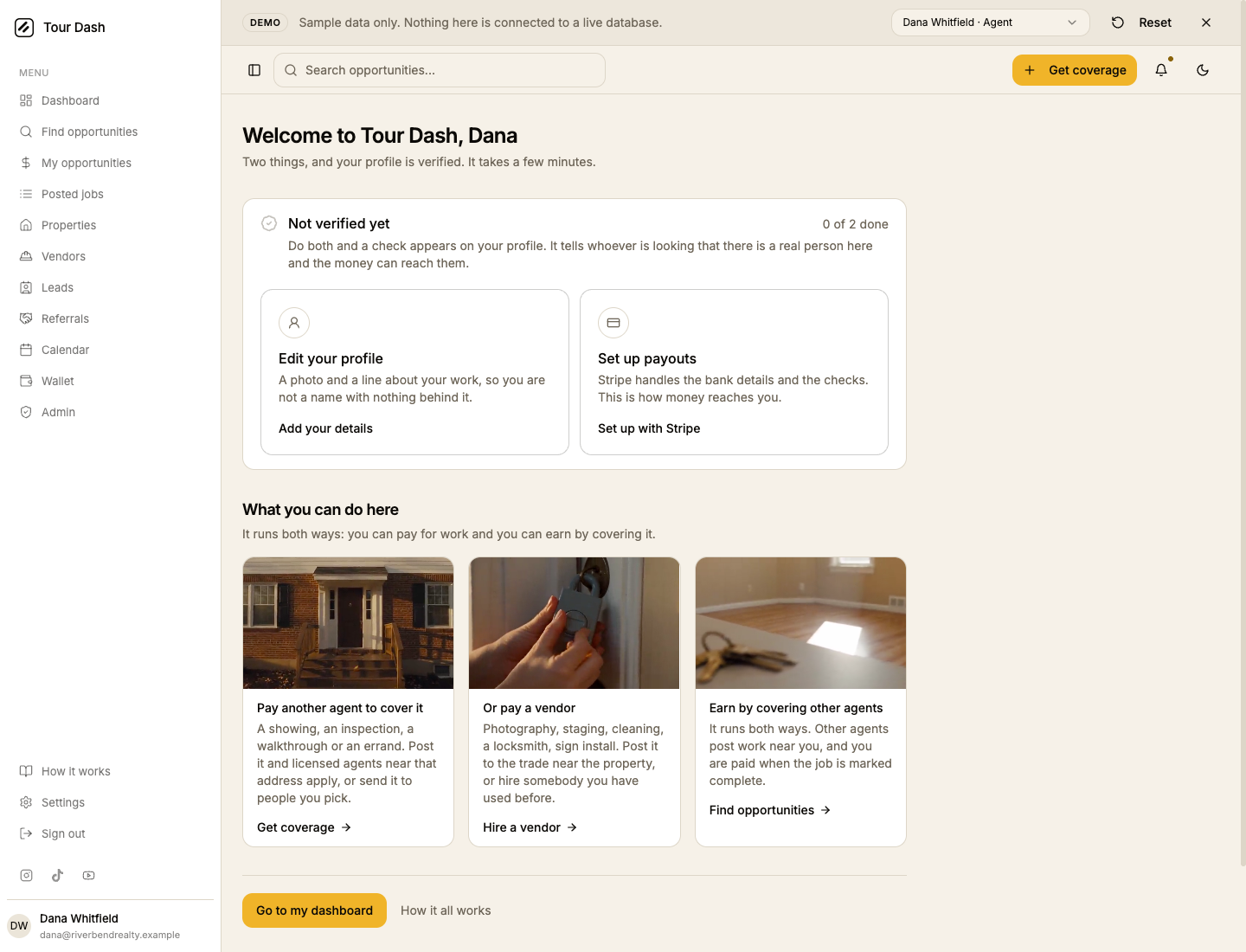
The two cards are the whole task list, and they are only ever two. A profile nobody can recognise loses you work; without Stripe the app refuses to take a card at all, so on the vendor side nobody can book you until it clears.
What the account can do
The three clips used to be captions on a single booking seen from three angles: post it, somebody takes it, you pay. True, and it left out the halves that matter.
An agent can both pay for work and earn by covering it, and a vendor is sent work by name as well as finding it on a board. None of that was on the page. Each clip now carries a real capability and the door to it, so the visual half of the screen does work instead of decorating.
| Agent sees | Vendor sees | Goes to |
|---|---|---|
| Pay another agent to cover it | Find work near you | Get coverage · Find work |
| Or pay a vendor | Get sent work directly | Hire a vendor · My jobs |
| Earn by covering other agents | Get paid for it | Find opportunities · Wallet |
The two sets differ because the product is genuinely asymmetric. Posting is agent-only in the routes, so a vendor is never shown a door they cannot open.
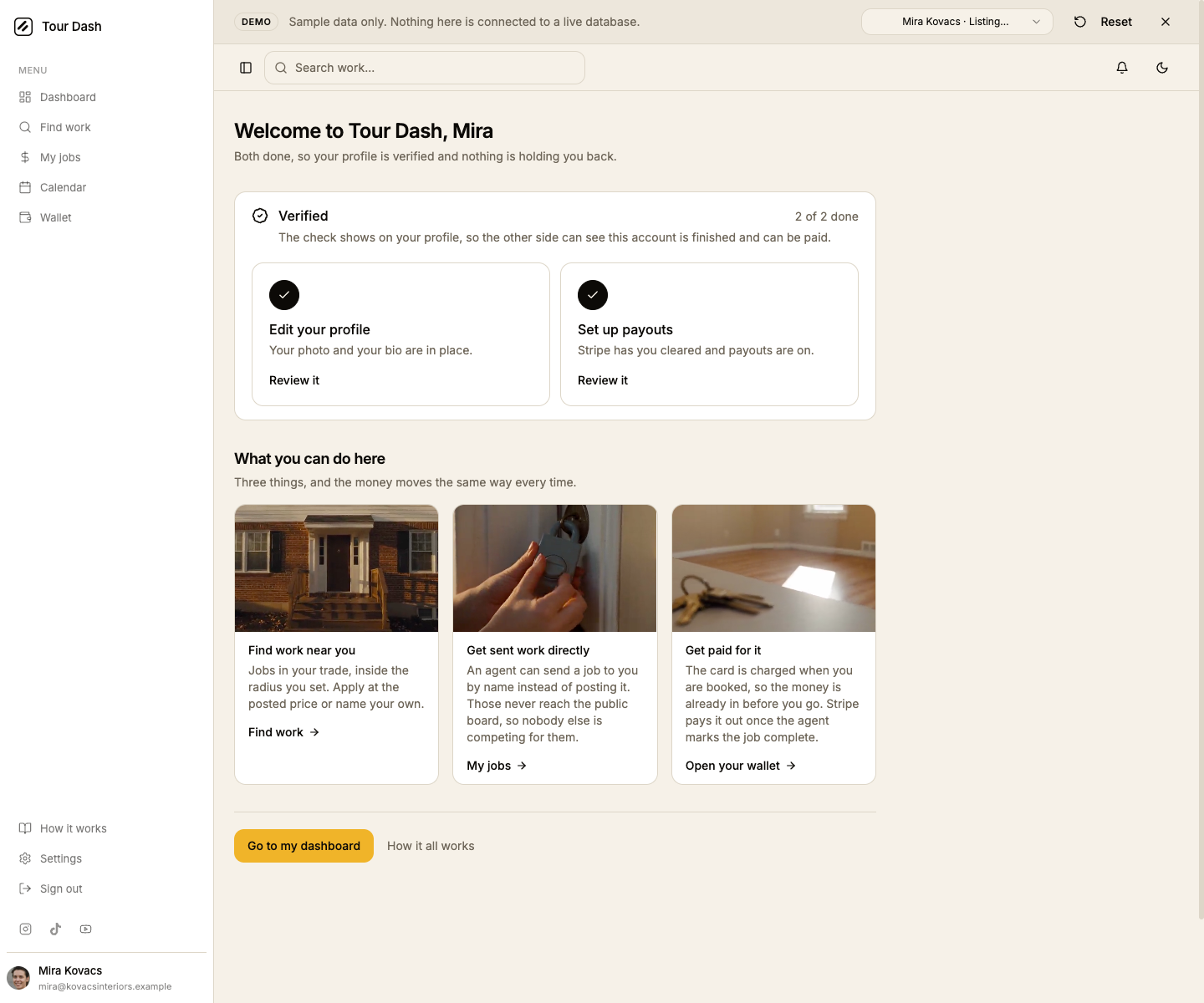
Leaving through one of these stamps onboarding on the way out. Without that, the dashboard would pull somebody straight back into the welcome they had just deliberately walked out of.
The action is in the pop-up
Tapping a card opens the thing itself rather than sending anybody off to the page that owns it, so nobody has to find their way back afterwards.
Neither pop-up is a new form. The profile card opens the same dialog the profile page uses, and the payouts card mounts the same payout panel as Settings and the wallet, so there is one Stripe surface to keep current rather than two that drift apart. The profile dialog learned an optional open state so a whole card can drive it; left out, its own button behaves exactly as before.
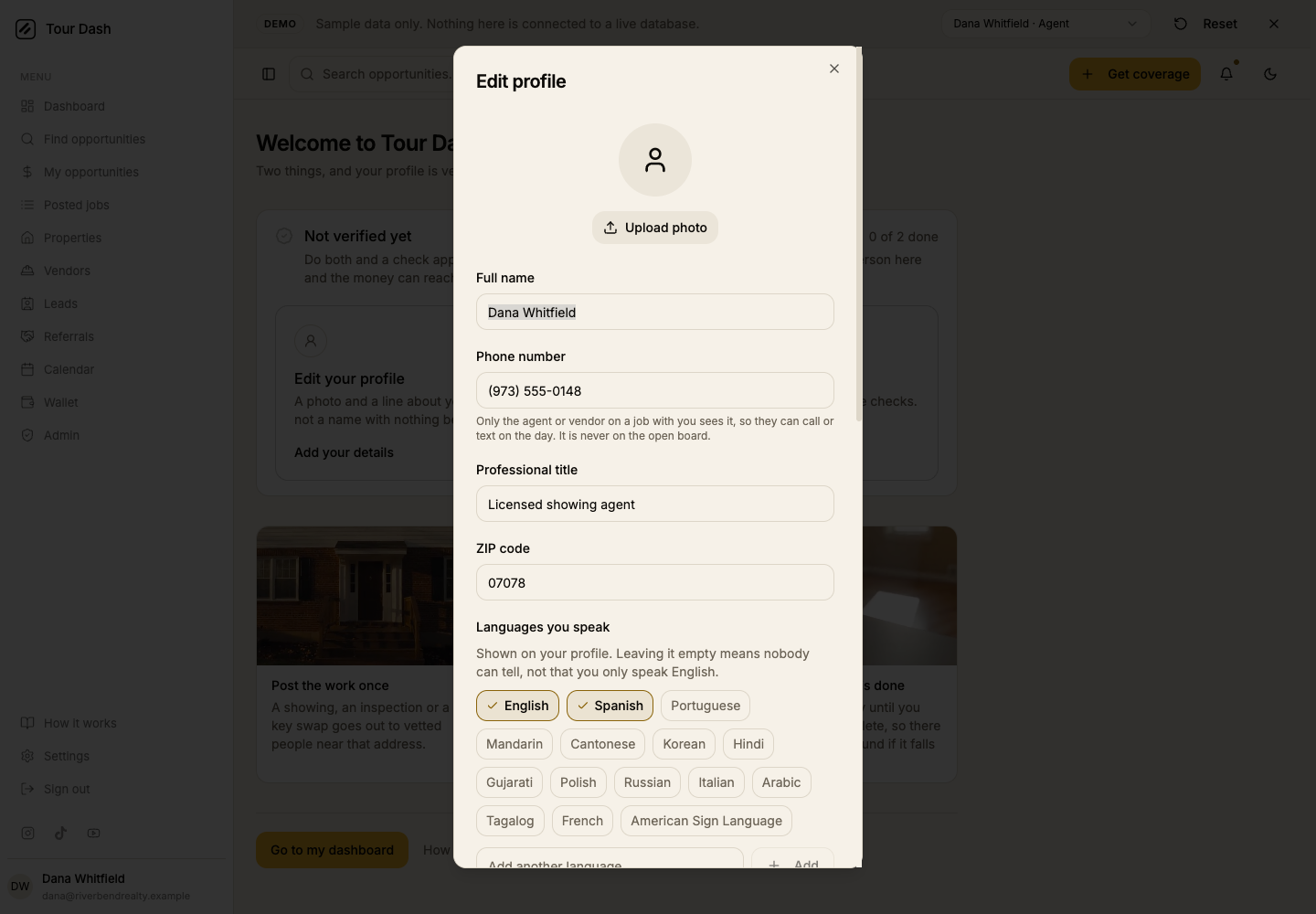
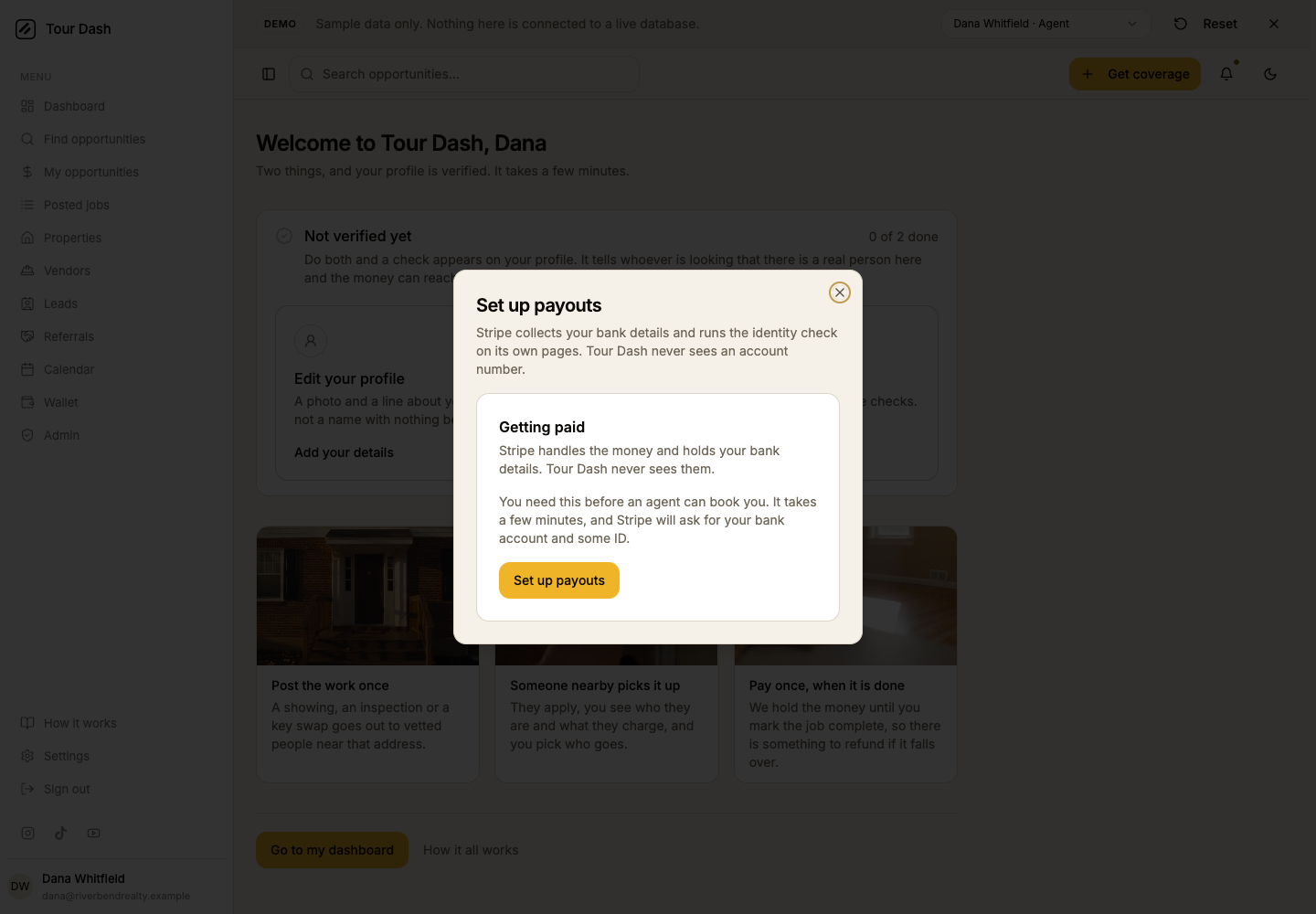
Because Stripe takes the whole page and hands it back minutes later, the welcome is a real route rather than a modal over the dashboard. Stripe's own return address is fixed to the settings page, so that page checks whether somebody is mid-welcome and sends them back here.
The check, and what it claims
Doing both earns Verified, which shows on the profile beside the existing marks for insurance, a lockbox key and instant book.
An earlier draft called it "Profile complete" out of a worry about colliding with
license_verified. That worry was wrong on the facts: license_verified
has never been a badge. It only decides who may post a referral, and no screen renders it, so
there is nothing on any profile for this to be confused with. What the check claims is real —
a photo, a line about the work, and an account Stripe has run its own identity and bank checks
on before agreeing to pay it.
It cannot be self-awarded. Both halves are read off the account every time the page renders rather than stored as a flag, so nobody can tick their way to it, and an account whose Stripe lapses loses the check on its own.
The box on the dashboard
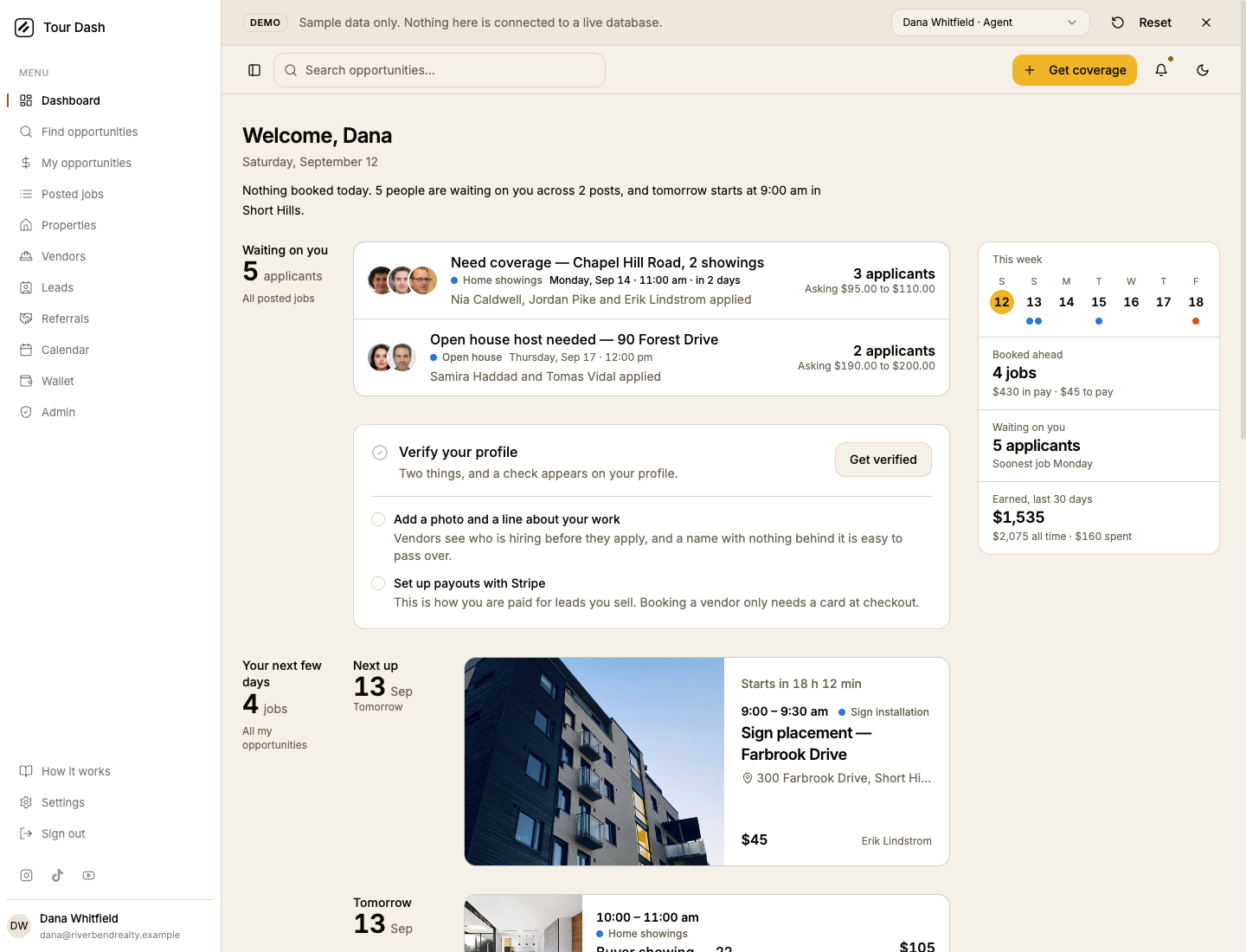
Leaving early is a legitimate answer. Going to the dashboard stamps a timestamp whether everything is done or nothing is, so the welcome never appears twice, and what carries on is a box that names the check as the goal.
It lists both things with their state, done ones included, because how far off the mark is reads better than a list of only what is left. The greeting above it also stops saying "Welcome back" to an account that has not finished setting up.
What was checked
Driven in a real browser against the demo, not assumed.
| Check | Result |
|---|---|
| Both pop-ups | Tapping each card opens the real control. Confirmed by reading the dialog's own contents, not by looking at the picture. |
| The payout pop-up as a new account sees it | The demo always reports a cleared Stripe account, so its status was temporarily forced to not-connected. The pop-up then shows the real explanation and the Stripe button. Reverted afterwards. |
| The unverified state | Forced on a demo account, since the sample data is fully set up and would otherwise only ever show the finished version. |
| Horizontal overflow | Zero, on the page and with a dialog open, at 390 and 1440. |
| The three clips | Confirmed playing rather than showing a poster frame. Under reduced motion the video never mounts and the file is not fetched. |
| Demo isolation | Every demo profile is stamped as already welcomed, so /demo never opens the flow mid-presentation. |
Two things found on the way
The invite migration is misleadingly named. invite-link-migration.sql creates
no link and no token. It only repoints the notification a private invite raises. There is no
shareable invite URL in the product, and nothing should be written that implies one.
An invite cannot be declined. The status column on the invite table allows
viewed and declined, and no code ever writes either, so every invite is permanently "sent".